
You want to create professional videos without having to stand in front of the camera or book an expensive studio? Then HeyGen is right for you. This guide walks you through the core idea of Stefan's video training series, which shows you how to create your own videos with an avatar using artificial intelligence. The course is aimed at teachers, trainers, marketers, and content creators who want to save time and still deliver high-quality content.
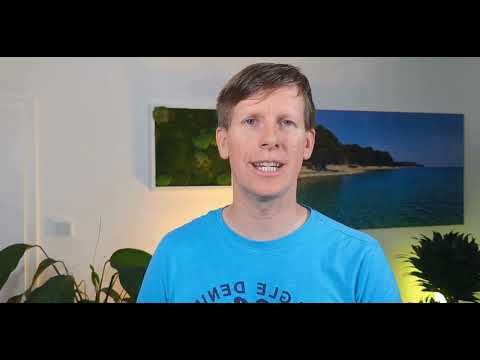
The video is only loaded from YouTube when you play it – data (including your IP address) is then transmitted to YouTube/Google. More in the privacy policy
The introduction lasts only about 70 seconds, but it already reveals a lot about the structure of the course. That is exactly why it is worth watching it attentively before you start with the practical work. This guide follows the flow of the intro and explains what to expect and what you should pay attention to.
Key Takeaways
With HeyGen, you create videos with AI avatars significantly faster than with traditional production methods. You can have videos translated into another language with just a few clicks, including lip sync. In addition, in the course you learn how to use your own voice in an avatar, even though HeyGen does not implement this optimally by default. The course is divided into short learning units of about eight minutes, so you can progress step by step.
Step 1: The Course and Its Target Audience
The course begins with a clear statement: it is a practical introduction to AI videos. Stefan introduces himself as the instructor and announces that in about an hour you will learn how to create your own videos featuring yourself or other people. The training series is deliberately divided into manageable bite-sized pieces so that you are not overwhelmed and can put each section into practice right away.
If you belong to the target groups mentioned, you will quickly find yourself in them. Teachers can prepare learning content visually, trainers create training videos, marketers produce commercials, and content creators fill their channels with new formats. Before the course, think about what purpose you want to use HeyGen for, as this will make implementation easier for you later.

Step 2: Creating Professional Videos Quickly
The core of HeyGen lies in its speed. The intro emphasizes that the software allows professional videos to be produced especially quickly and efficiently. Instead of organizing camera, lighting, sound, and editing yourself, you select an avatar and provide the text it should speak. This reduces the effort considerably and is particularly suitable when you need to publish new content regularly.
Make sure your script is clearly structured. Short sentences and a logical order of statements ensure that the avatar comes across as understandable. The better your text is prepared, the more natural the finished video sounds.

Step 3: Translating Videos with a Few Clicks
One of HeyGen's strongest advantages is translation. You can have an existing video converted into another language, and the software provides lip sync in the process. This means that the avatar's mouth movements match the new language. For international audiences, this is a huge relief because you don't have to shoot a separate video for each language.
Especially in marketing or continuing education, you can thus reuse a single piece of content multiple times. Even so, after translation, check whether technical terms have been translated correctly, because automation does not replace content review.

Step 4: Using Your Own Voice in the Avatar
This is where the course gets particularly exciting. Stefan explains that in his course he additionally gives tips on how to use your own voice in your avatar. The background: HeyGen does not deliver this function quite optimally out of the box. With the right approach, however, the result can be improved significantly.
For you, this means: once you have understood how your voice is integrated into the avatar, your video feels more personal and authentic. Viewers recognize you, even when you yourself are not on screen. Plan a bit more time for this step, as recording and adjusting your voice should be done carefully.

Step 5: An Example with a Trained Voice
In the intro, Stefan shows a concrete example. He himself is only Stefan's avatar, whose voice was trained with AI. He then plays his original voice and asks whether it doesn't sound quite similar. This comparison makes clear how convincing the result can be when the voice is trained cleanly.
Use this moment as motivation and as a quality benchmark. You don't have to be perfect right away, but you should know what to pay attention to when training your own voice, such as a quiet recording environment and an even speaking style.

Step 6: The Path to Your Own Avatar
To conclude the intro, Stefan makes clear what it all comes down to: by the end of the course, you should be able to create your own avatar, and with your own voice. He strongly recommends watching the video training, because you will learn a great deal from it.
Your approach is therefore clear: watch the lessons in the series one after another, implement each section directly in HeyGen, and stay on track. The short units are well suited for small learning breaks in between. If you don't understand a step right away, rewind and try it out at your own pace.
Summary – Creating HeyGen Avatars: Your Introduction to AI Videos with Your Own Voice
The intro to the HeyGen video training series shows you in a short time what is possible with AI videos. You learn who the course is intended for, how quickly professional videos can be created, and how easily translations with lip sync can be achieved. Stefan also announces how you can use your own voice in an avatar. With this knowledge, you are well prepared to create your first own avatar and to work through the training series step by step.
FAQ
Who is the HeyGen course suitable for?The course is aimed at teachers, trainers, marketers, and content creators who want to use AI to create their own videos featuring themselves or other people.
How long is the entire video training series?According to the intro, the series comprises around 60 minutes, divided into short units of about eight minutes.
Can HeyGen translate videos into other languages?Yes, HeyGen can translate videos into another language with just a few clicks, and the avatar's lips are synchronized in the process.
Can I use my own voice in the avatar?Yes, the course gives you tips on how to use your own voice in your avatar, even though HeyGen does not implement this optimally by default.
Do I have to be in front of the camera myself?No, with HeyGen you create videos with an AI avatar, so you don't necessarily have to be in front of the camera yourself.
