
Before you can run ads on TikTok, you need your own access to the TikTok Ads Manager. This access is separate from your regular TikTok account, and it is best to set it up on a computer in the browser. In this guide, I'll walk you through the entire registration process, from searching for the Ads Manager to confirming your details. I'll also show you which information should be entered especially carefully, because it will matter later for ads and billing.
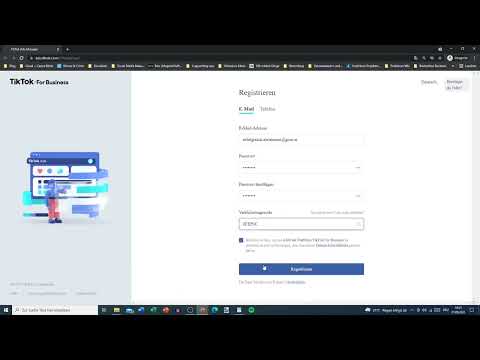
The video is only loaded from YouTube when you play it – data (including your IP address) is then transmitted to YouTube/Google. More in the privacy policy
Key Takeaways
- The TikTok Ads Manager requires its own account, even if you already have a TikTok account.
- The email address and phone number must be real, because you will receive confirmation codes through them.
- The verification code must be entered within 60 seconds.
- You should choose the country, industry, company name, and time zone carefully.
- For real ads, you will later also need bank account details and, if applicable, a tax identification number.
Step-by-Step Guide
Step 1: Find the TikTok Ads Manager
Open your browser on your PC and search Google for "TikTok Ads Manager". Among the search results, you will find several information pages. Make sure to select the official link from "TikTok for Business". Only there will you reach the correct platform.

Step 2: Get to Know the Home Page
On the TikTok for Business home page, you will see information about current offers and activities. This information is not decisive for the registration, but you can skim through it at your leisure. The "Portfolio" section is interesting, because you can later run ads through these apps if you wish.

Step 3: Set the Language
Before you register, check the language. You will find the setting for it in the menu at the top. If you prefer to work in German, change it there. Note that the language setting may be saved separately for each tab in the browser. So, if necessary, set it again on the registration page as well.

Step 4: Create a New Account
On the home page, you will find the buttons "Log in" or "Get started". If you already have an account, you can log in there with your email address or phone number. For new access, however, you choose "Sign up now". This starts the registration process.

Step 5: Enter the Email Address
Now enter an email address that you can access at any time. It makes the most sense to use the same address that is also linked to your real TikTok account. An address that has already been used will lead to an error message, because an account already exists for it. In this case, you will have to choose a different address.

Step 6: Set a Secure Password
Your password must be between 6 and 20 characters long. Use a combination of letters and numbers that is not easy to guess. Using the eye icon next to the input field, you can display the password. This way you avoid typos before you click "Next".
Step 7: Request the Verification Code
Click "Send code". You will then receive a verification code at your email address. The request is important, because this is the only way TikTok can check whether the address really belongs to you. Make sure you enter the code within 60 seconds. It is best to have your email inbox already open before you request the code. If the time runs out, you must request a new code.
Step 8: Confirm the Code
Open your email inbox and copy the code. Then switch back to the registration page and paste it into the designated field. Next, confirm the entry and the security check, if the window requires it. In doing so, you usually also have to select certain image motifs that TikTok displays for verification.

Step 9: Check the username
After confirmation, a username is automatically assigned to you. It hardly matters for working in the Ads Manager, but you can change it at any time. Still, a name that fits your company or your project will help you find the account again more quickly later on.

Step 10: Select the country and industry
Now select the country where your company is based. Next comes the industry in which you want to advertise. Not every industry can be clearly found in the list. Financial services, for example, cannot always be selected directly. If no suitable category is available, select "Other" under the categories and then "Other" again. Stricter rules apply to certain sensitive industries such as weapons, tobacco products or adult products, so you should check your selection carefully.
Step 11: Enter the company name
In the next field, you enter the name of your company. If you don't have a company yet, you can enter the name your company is likely to receive. The name should match your later details on invoices and documents.
Step 12: Set the time zone
Next, select your time zone. For Austria or Germany, it is the Europe time zone with a one-hour offset from Coordinated Universal Time. The correct time zone is important because reports and campaign times depend on it.
Step 13: Provide the phone number
The phone number is a required field and very important, because TikTok can contact you through it. In addition, you will receive a verification code that is sent to this number. Therefore, provide a number that you actually have access to. If the phone number is already linked to another account, a message appears, and you will have to use a different number or use the existing account.
Step 14: Confirm the phone code
After entering the number, you will receive a code by SMS. Enter this code in the window to confirm the number. Here, too, you should enter it promptly, as the code is only valid for a limited time.
Step 15: Fill in the basic information
In the "Basic information" window, you will be asked to provide your country of origin, your company name, your promotion links and, if applicable, a channel such as a YouTube channel. If you don't have a website or a link yet, you can enter a placeholder for now. Note that the interface partly appears in English and some place names cannot always be selected appropriately. In this case, choose the closest option.

Step 16: Enter address details
Next, you enter your state, your postal code, the street and the house number. This information must match your place of residence or your company headquarters. Incorrect address details can lead to problems with invoicing later.

Step 17: Provide account details and tax information
For ads that are actually run, TikTok needs your bank details. In addition, a VAT identification number, UID for short, may be required if you appear as a company. The test account in the video serves only as a demonstration, which is why this information is still missing there. For your real account, you should enter it completely and correctly.

Step 18: Continue with the Ads Manager
Once you have provided all the information, you can log in to the Ads Manager. If you are not automatically in the account after registration, simply log in with your email address and your password. Afterwards, you can explore the individual areas of the Manager and prepare your first campaign.

Summary ??? Creating a TikTok Ads Manager account: step by step
You have now seen how to set up your own TikTok Ads Manager account. First, you find the official access via search and the TikTok for Business platform. Then you register with a real email address, a secure password and a phone number that you can verify. Pay particular attention to the 60-second period for the verification code so that the confirmation succeeds. Finally, you add the country, industry, company details, address and account details. With these basics, you are perfectly prepared to then plan your first advertising campaign.
FAQ
Do I have to use the same email address as for my TikTok account?It makes sense because it makes it easier to match the accesses, but it is not mandatory.
What happens if the verification code has expired?Then you have to request a new code in the registration window and enter it within 60 seconds.
Can I use the same phone number for multiple accounts?No, a phone number can usually only be linked to one account, so a message will appear otherwise.
Can I change my username later?Yes, the username can be changed afterwards, so it is not decisive for the creation.
Do I have to provide account details right away?Registration is enough to create the account, but you will need the account details before real ads are run.


