
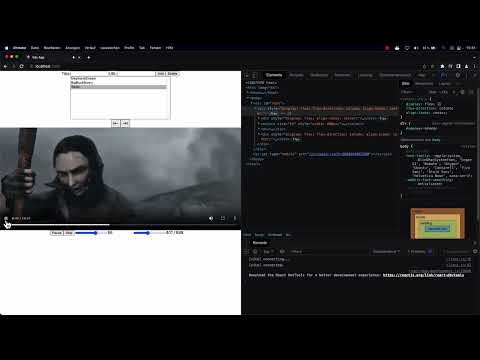
You have successfully created a simple video player project in React that plays automatically. But to improve the user experience, you want to implement Next and Previous Buttons. These buttons allow users to quickly navigate between Videos. In this guide, you will learn step by step how to add this functionality and why it is advantageous to move common code into functions to avoid redundancy.
The video is only loaded from YouTube when you play it – data (including your IP address) is then transmitted to YouTube/Google. More in the privacy policy
Key Takeaways
- Implementing navigation buttons improves the user experience.
- Reusable functions help avoid code duplication.
- Proper event handling allows users to intuitively access the videos.
Step-by-Step Guide
First, let's see how you can integrate the Next and Previous Buttons into your existing React app.
1. Prepare the Buttons
Start by creating the necessary buttons in your component. You can use Unicode characters to display attractive arrows that make navigation easier.

2. Create Functions for Video Navigation
Now it's time to implement the logic behind the buttons. You should create a function that allows jumping to a specific video. You can use the skipVideo function, which expects two parameters: the increment and the video list.

3. Extract Function Definitions
To improve the maintainability of your code, it is advisable to extract the navigation logic. You can achieve this by defining the skipVideo function outside your rendering method. In doing so, you pass the necessary parameters to the function to perform the navigation.
4. Assign Button Handlers
Now you assign event listeners to the buttons that call the skipVideo function when clicked. Make sure to pass the correct parameter for each button: -1 for the Previous Button and +1 for the Next Button.

5. Test the Functionality
After implementing all the functions, it's essential to test your app. Play a video and test the buttons to ensure that the navigation works as intended and there are no errors.

6. Finishing Touches
Optionally, you can add additional features to the interface, such as volume control or jumping directly to a specific video in the list. This enhances the user experience and requires only minor adjustments to your existing code.

Summary
By implementing Next and Previous Buttons, you have significantly enhanced the user experience in the video player. You have learned the importance of outsourcing functions and avoiding redundant code. Now you are ready to apply these techniques to your future projects.
Frequently Asked Questions
How can I improve video navigation?By implementing Next and Previous Buttons, you can offer users intuitive navigation.
What are the benefits of outsourcing functions?Outsourcing functionalities to separate methods reduces code duplication and simplifies maintenance.
How do I test the functionality of my buttons?Play a video and click the buttons to ensure that the videos switch correctly.


