
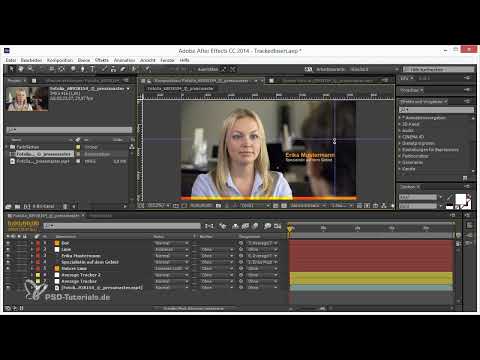
The video is only loaded from YouTube when you play it – data (including your IP address) is then transmitted to YouTube/Google. More in the privacy policy
Everyone knows them in InDesign, Illustrator and Photoshop - in every program where you also layout - guides.
It's less common in After Effects, but there are hidden guides here too that you should use when it counts! The guides are indispensable, especially for a rough layout in the video.
As in the other programs, the guides are hidden in the rulers. We don't see anything here, but we can also show the rulers by pressing Ctrl+R.

As we are used to from the other programs, we can click on the ruler and hold down the mouse button to drag an auxiliary line onto the screen.
If we no longer need an auxiliary line, we can also drag it out of the screen without any problems. As soon as it is dragged out of the visible screen, the guide is deleted.
Thanks to the guides, the objects snap to the lines and can be placed more easily.
We also have the option of quickly showing and hiding the guides using Ctrl and the ß key . We can also hide the ruler again with Ctrl+R so that only the guides remain.
If the guides are hidden, our object can no longer orient itself to the lines and snap to them.
Under View, we have the option of manually executing the previous commands and shortcuts and we also have the option of protecting the guides so that we can no longer accidentally select and move them.
If we no longer need the guides, we can also delete them here .


