
Imagine a cube that rotates 360 degrees without any warning. Technically it works perfectly, but your audience is caught off guard, and the actual action fizzles out. This is exactly where the Disney principle of anticipation comes in. In this guide, you will learn what is behind it, how to implement it in Cinema 4D, and how to give your objects character with a little preparation.
The video is only loaded from YouTube when you play it – data (including your IP address) is then transmitted to YouTube/Google. More in the privacy policy
Key Takeaways
- Anticipation is the preparation of a movement. It shows the viewer what will happen next.
- Most of the time, the preparation consists of a small counter-movement, for example briefly tilting backward before the actual tilt.
- Anticipation draws attention to the object and gives it character.
- You can exaggerate the principle or even apply it to the preparation itself, that is, build in an anticipation of the anticipation.
- The spacing and the tangents in the Graph Editor determine whether the preparation looks smooth or stutters unpleasantly.
Step-by-Step Guide
Understanding the Basic Principle Using a Golf Swing
Before you start working in Cinema 4D, it is worth taking a look at everyday life. A golf club is not simply brought straight to the ball. The player first takes a big backswing, and it is precisely this backswing that makes the actual stroke understandable. The arc that the club describes is the preparation for the movement. You should keep this thought in the back of your mind for every animation: What happens right before?

Animating the Cube Without Preparation
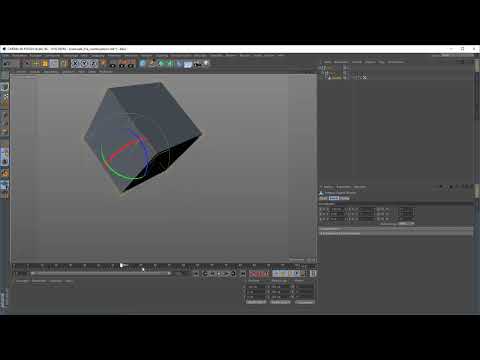
In Cinema 4D, create a cube with two keyframes that rotates 360 degrees. When it comes to spacing, make sure the movement runs evenly. Play the animation and observe the result. The cube starts abruptly from a standstill and seemingly rotates out of nowhere. Technically everything is correct, but the viewer was not prepared for this rotation and has no chance to follow it with their eyes.

Building in the Anticipation as a Small Counter-Movement
Now take the second cube in your scene. It gets a tiny preparation: shortly before it rotates forward, it tilts slightly in the opposite direction. This movement is almost incidental, but it changes everything. As soon as the cube rotates back, the viewer knows that something is about to happen. The actual rotation thereby gets significantly more attention. That is exactly the core of anticipation: the preparation prepares the audience for the action.

Using the Counter-Movement Purposefully
The preparation is usually a counter-movement, and it can accomplish a surprising amount. You can use it to deliberately direct attention to an object. It also gives things character. A brief snap backward looks lively, whereas a stiff start to the rotation looks mechanical. Another effect: with a short swing in one direction, you can make an object disappear from the frame by announcing the movement beforehand. Feel free to exaggerate the counter-movement a little, because in animation it can be significantly larger than in reality.

Preparing the Tipping Cube with Null Objects
For the next example, you open a prepared scene. Here, two null objects are set up that act as groups. The cube is located in each of these groups, and this allows you to rotate it around different edges. This is very practical, because it lets you tip the cube in a targeted way without laboriously realigning the axes. A null object is therefore nothing more than an invisible anchor point that keeps your rotation organized.

Comparing the Direct Tipping with an Anticipation
First, the cube tips forward directly without preparation. The result looks mechanical and a little lifeless. Now add an anticipation: before the cube tips forward, it first leans slightly backward. Compare both versions side by side. The second version has significantly more character, and you immediately sense that the cube literally gathers itself before it gets going. For every movement, ask yourself whether it might need a lead-in.

Adjusting the Spacing at the End
For the anticipation to be truly convincing, you need to fine-tune the end of the movement. In the Graph Editor, you adjust the spacing so that the curve slowly eases out at the end. While the anticipation leans the cube back, the curve settles, so to speak, before the object moves forward. The result looks much more motivated. The easing out at the end of the movement, the so-called slow-out, will be discussed in more detail in the next part of the series, because there you will see why the end can sometimes look a bit strange.

Building in an Anticipation of the Anticipation
You can take the principle even further. Set an additional keyframe at one point and build in a preparation for the preparation. The cube therefore first tilts briefly in one direction, then back, and only afterwards in the actual direction. However, make sure that no unwanted valley arises in the curve. To do this, move the keyframes carefully and check the spacing again.

Correcting the Tangents
If the curve shows a dent after inserting the additional preparation, it is usually due to the tangents. Select the affected keyframe and adjust the tangents so that the transition runs smoothly. Afterwards, also check the neighboring keyframes so that nothing undesirable happens there. Then play the animation several times. Only when the cube transitions into the movement without stuttering is the animation clean.

Using Anticipation for Humor and Storytelling
Finally, it is worth looking at the dramaturgy. Many comedic moments in films and cartoons are based on anticipation. Think of the character who runs off a cliff and only then realizes that there is no ground beneath them anymore. The brief hovering in the air is exactly the preparation for the fall. It works because the viewer feels the moment before something decisive happens. Use this principle when you tell stories, because it gives every movement weight and meaning.

Summary – Anticipation in Cinema 4D: Creating Believable Movements with Preparation
Anticipation is one of the most important foundations of good animation. You prepare the movement, direct the audience's attention, and give your objects character. Usually, a small counter-movement is enough, which you implement cleanly with spacing and tangents in the Graph Editor. If you exaggerate the principle or even apply it to the preparation itself, lively and humorous animations result. In the next chapter, you will see that a movement has another important aspect besides preparation.
FAQ
What does anticipation mean in animation?Anticipation is the preparation of a movement that shows the viewer what will happen next.
Does an anticipation always have to be a counter-movement?Mostly yes, because a small counter-movement is particularly clear. However, other preparations, such as a brief pause, can also work.
How strong should an anticipation be?It may be exaggerated in the animation, as long as it clearly announces the movement and does not distract from the main action.
Do I need null objects for an anticipation?Not necessarily. However, null objects make it easier to rotate around certain edges or points, because they serve as clear anchor points.
How do I avoid a valley in the curve?Check the spacing and adjust the tangents of the affected keyframes. Then play the animation several times to spot stutters.
Why does the end of a movement sometimes look strange?This is often due to the easing out of the curve. With an adjusted slow-out, the end looks more natural.


