
Beauty retouching in Affinity Photo - video tutorial

- Beauty retouching in Affinity Photo: 10 lessons in over 1.5 hours of video tutorials
- Remove skin blemishes, disorders, unwanted hair strands or wrinkles
- Process colors and structures separately with frequency separation
- Customize facial features, whiten teeth and apply matching make-up
- Model a portrait using lighten and darken (Dodge & Burn)
- Retouching with Affinity Photo - explained step by step by digital artist Marco Kolditz
Whether you already know the techniques and want to apply them in Affinity Photo or are new to beauty retouching - this tutorial will pick you up and guide you to the perfect retouching result!
11 Videos, 106 minutes
Intro to the video training
This is what you can expect in the video training "Beauty retouching in Affinity Photo - video tutorial"
1 minYou will learn how to use the tools skillfully to retouch your portraits effectively.
Beauty retouching in Affinity Photo
Beauty retouching in Affinity Photo: 01 | Helpful presets
7 minIn this video on beauty retouching with Affinity Photo, video trainer Marco Kolditz gives you important tips on helpful presets that you should set before you start working with Affinity Photo.
Beauty retouching in Affinity Photo: 02 | Remove errors
15 minBefore getting down to the fine and detailed professional skin retouching, video trainer Marco Kolditz shows you in this video how to remove the roughest skin blemishes and imperfections from the image to be edited.
Beauty retouching in Affinity Photo: 03 | Remove strands
13 minWhen removing unwanted strands from the image, there are a few important editing methods to consider during beauty retouching in order to achieve the best possible result.
Beauty retouching in Affinity Photo: 04 | Skin retouching colors
14 minVery professional skin retouching is achieved with the help of frequency separation. In this video, video trainer Marco Kolditz shows you how to adjust the colors in the image without affecting details such as pores or hair in the image.
Beauty retouching in Affinity Photo: 05 | Skin retouching details
10 minAfter spotty areas of skin have been corrected, unwanted details are now also removed or adjusted from the image using frequency separation, without affecting the colors in the image.
Beauty retouching in Affinity Photo: 06 | Reduce wrinkles
6 minIn this video, video trainer Marco Kolditz shows you how to reduce wrinkles in the image in a simple and effective way.
Beauty retouching in Affinity Photo: 07 | Correct and whiten teeth
11 minWatch this video to learn how to easily whiten yellow teeth, effectively touch up unsightly edges on teeth and match the rest of your teeth.
Beauty retouching in Affinity Photo: 08 | Face modeling
8 minIn this video, video trainer Marco Kolditz explains how to model a face using Affinity Photo, adjust facial features and make the image more symmetrical.
Beauty retouching in Affinity Photo: 09 | Colors and make-up
11 minIn this video you will learn how to adjust the general color look of a picture and how to convincingly apply suitable make-up to the model in the picture.
Beauty retouching in Affinity Photo: 10 | Lighten and darken
11 minAt the end of this video training, you will learn in this video how to make the image more vivid by lightening and darkening it.
Examples of use
-
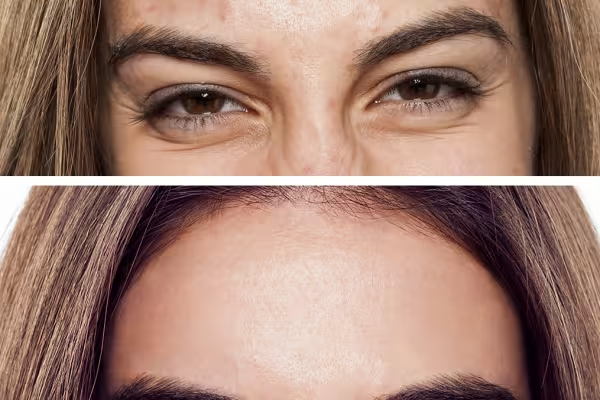 Learn about beauty retouching methods and how to apply them in Affinity Photo.
You might also like

More style, more power, more templates!

Full power, more inspirations, maximum WOW effect!

20 sets in 4K (4096 × 4096 px, 300 DPI) as JPG plus Photoshop patterns, calibrated to the fill method

100 presets in 5 themes · each look in .xmp, .dng, and .costyle · for desktop and smartphone
Comment now „Beauty retouching in Affinity Photo - video tutorial“