
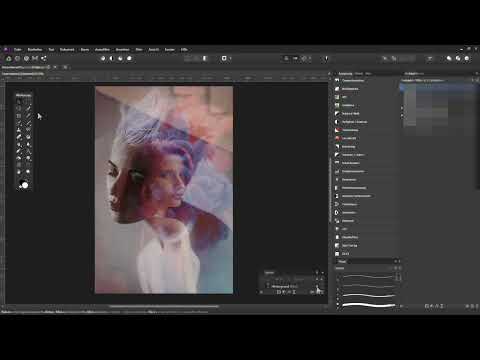
Sometimes a picture just needs a little creative boost to be transformed into something unique. In this tutorial, you will learn how to perform creative image edits easily with Affinity Photo. The focus will be on working with overlays and implementing various creative effects. Get inspired and discover what is possible with your photos.
The video is only loaded from YouTube when you play it – data (including your IP address) is then transmitted to YouTube/Google. More in the privacy policy
Key takeaways
- You can give modern photos the look of old pictures.
- The use of overlays allows for fascinating design possibilities.
- Personalizing images can be easily achieved through play with colors and textures.
- With special effects, you can create impressive visual artworks.
Step-by-Step Guide
Step 1: Introduction to Overlays
In the first step, I will explain what overlays are exactly and how they can help you achieve creative effects in Affinity Photo. Overlays are transparent or semi-transparent images that are placed over your main image to create various visual effects. They ease your access to exciting textures, patterns, and lighting effects that can make your image more appealing.

Step 2: Choosing the Right Main Image
Choose a modern photo that you want to edit. Ensure that the image has an interesting composition and is suitable for creative changes. It can be helpful to start with a black-and-white portrait as it particularly highlights the versatile possibilities of overlays.

Step 3: Applying a Vintage Look
Now comes the creative part: give your photo the look of an old image. You can use various filters and adjustments for this. It is important to experiment with the color tones and brightness settings to achieve the desired effect. Here you can also apply the first layer of your overlay and see how it harmonizes with the rest of the image.

Step 4: Using Fire Overlays
Another exciting element is fire overlays. These give your image a dynamic and fascinating touch. Simply drag the overlay over your main image and adjust the size. With the transparency, you can regulate the intensity of the fire so that it harmonizes organically with the image.

Step 5: Simulating Effects on a Poster Canvas
To transfer your image to a poster canvas as realistically as possible, be sure to retain all structures and details. You can use various effects and layer settings in Affinity Photo for this. This gives your image the impressive look you are aiming for.

Step 6: Adding Patterns and Symbols
To make your image even more unique, you can add patterns and symbols that follow the folds or special structures of your main image. It's a great way to add extra depth and interest to your artwork. Experiment with different positions and sizes to achieve the best visual result.

Now you are ready to realize your creative visions with Affinity Photo. Get inspired by the countless possibilities and become a true artist!
Summary – Creative Image Editing with Affinity Photo: Overlays in Focus
In this guide, you have learned how to use impressive overlays with Affinity Photo to create something special from a modern photo. You can experiment with various effects and let your creativity run wild. Use these steps to create exciting and meaningful artworks.
Frequently Asked Questions
How do I find overlays for Affinity Photo?You can download overlays online from platforms like Creative Market or in relevant forums and communities.
Can I create my own overlays?Yes, you can create your own images or texts as overlays. Make sure they have the right transparency and size.
Do I need special knowledge for Affinity Photo?Basic knowledge of image editing is helpful, but beginners can also quickly learn how to use Affinity Photo effectively through tutorials.
Is Affinity Photo suitable for beginners?Yes, Affinity Photo offers numerous tutorials and a user-friendly interface that makes it easy for beginners to get familiar with the software quickly.

