
An advertising budget evaporates quickly if the ad reaches people who have no use for your offer. This is exactly where Audiences in Facebook come in. They allow you to deliver ads specifically to certain groups of people, based on data that you own yourself or that Facebook derives. In this guide, you will learn about the most important types of target groups and set up a Custom Audience and a Lookalike Audience step by step. I will also show you where the data protection limits lie in Germany and how to narrow down a target group so that it fits your offer.
The video is only loaded from YouTube when you play it – data (including your IP address) is then transmitted to YouTube/Google. More in the privacy policy
Key Takeaways
- You can find Audiences in the Ads Manager via the navigation or in the Business Manager under Assets.
- Custom Audiences are based on people who have already had contact with you, for example via your website, your videos, or your engagement on Facebook.
- Uploading a customer list with email addresses is legally problematic under data protection law in Germany and should not be done without a legal review.
- Without a Pixel, your website cannot transmit visitor data. The Pixel must therefore be integrated correctly and triggered at least once.
- Lookalike Audiences look for people who are similar to your existing visitors. You choose the size between 1 and 10 percent of a country's population.
- Saved Audiences can be reused in many campaigns. The more precisely you combine interests, age, language, and income, the smaller and more accurate the target group becomes.
- A target group that is too large dilutes your message. Rather, concentrate on your niche.
Step 1: Finding Audiences in the Ads Manager
You start directly in the Ads Manager. Open the Audiences area, which you can find either via the quick navigation on the left or under Assets. There you can see all the target groups that have already been created in your Business Manager. In my example, I am in a Business Manager in which quite a few Audiences already exist. This is also where your own target groups will later be collected and managed.

Step 2: Understanding the Sources of a Custom Audience
When you click on Custom Audience, various sources are available to choose from. The customer file seems like the obvious choice at first glance. In this case, you upload a CSV list with your customers' email addresses, and Facebook matches it against its users. In Germany, however, this route is a real problem under data protection law. The mere information that a user is a customer of a certain company can already allow sensitive conclusions to be drawn. This route should therefore only be considered after a proper legal review.

Sources such as website traffic or engagement are less problematic. With website traffic, Facebook and the Pixel evaluate which pages visitors have viewed. Engagement is about interactions with your content, for example when someone has watched a video up to a certain point. These variants are somewhat more advanced, but they form a solid foundation for your marketing.
Step 3: Creating and Integrating the Pixel
For website traffic, you need a Pixel. To do this, click on Create, then select Custom Audience and follow the wizard until a new Pixel has been created. In the example, I created a Pixel and opted for manual installation. You will still have to integrate the code into your website later. I will show you this step in more detail in practice.

As long as the Pixel has never sent an event, Facebook displays a red notice. This is completely normal as long as you have not yet installed the code. As soon as visitors access your page and the Pixel fires, the warning disappears. Incidentally, a Pixel without data does not deliver a target group, so it is worth checking this status before you continue.

Step 4: Building a Target Group from Contact Form Visitors
Imagine you offer a service and run a blog that addresses different groups of readers. Not every visitor is looking for a service provider. It therefore makes sense not to simply capture all visitors, but to specifically select the pages that show purchase interest. One such signal is a visit to the contact form.
To do this, select the option "People who visited specific web pages" and enter the URL of the contact form. Then you define the time period. A time window of seven days is a good starting point. Longer periods mean that the same people see ads for weeks, and that strains the patience of your users. Name the target group clearly, for example with the addition "Viewed contact form in the last 7 days". That way, you will immediately recognize later in the overview what it is about.
The target audience is now set up. Later you can exclude people who have already submitted the form and adjust the ad accordingly. We will go into that in more detail elsewhere.
Step 5: Build a Lookalike Audience
A Custom Audience only reaches people who have already been in contact with you. If you want to grow, the Lookalike Audience comes into play. Facebook analyzes the characteristics of your source, such as age, interests, behavior, and place of residence, and looks for users with similar profiles. This target group is not personally known to you, but statistically it behaves as if it belonged to your prospects.
Select the Custom Audience you created earlier as the source, which in the example is the contact form visitors. Then you define the country. A German-speaking region including Germany, Austria, and Switzerland is often sensible, if your offer works equally well there. In the example, I limit myself to Germany.

The Audience Size determines the breadth of the target group. You can choose between one and ten percent of the population. A size of one percent means the highest similarity to your source, but also the smallest reach. The further you move to the right, the larger the target group becomes and the less precise the matches get. For getting started, a small percentage makes sense because it delivers the most precise hits. At one percent, Facebook identified around 324,000 profiles in my example that are considered potential prospects. The basis is about 32 million Facebook users in Germany.
If there are too few data points in the source, Facebook reports that the quality of the Lookalike Audience may be limited. This is an important hint. As the source grows, the target group becomes more reliable.

Step 6: Create manual interests as a saved audience
Interests can be set directly in a campaign, but that is tedious and hard to reuse. It is more sensible to create the target group as a saved audience. That way you can use it in many campaigns without having to configure it anew each time.
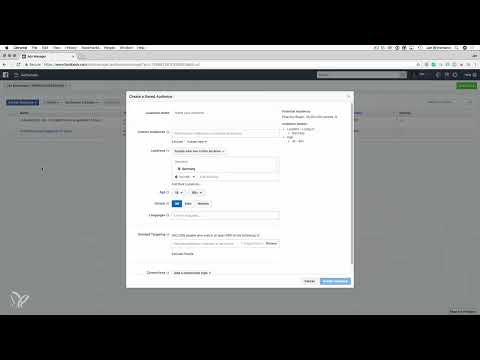
In the example, I build a target group for car fans. First I define the scope: Germany, Facebook users aged 18 to 65. Even that results in a large starting size. To narrow it down, I think about who actually buys a car that falls into this segment. For sporty models, this is typically the age group between roughly 25 and 55. Already here the target group shrinks significantly.

In the next step, I select German as the language. Then detailed targeting comes into play. There I search for interests such as BMW. Facebook then shows me, for example, pages that users with this interest have liked. The like is only an indication of interest, since users also share or comment on content. In the example, BMW alone brings together around 2.3 million people in Germany.
The logic within the interests is important. With "Include people who match at least one of the following", one of the criteria is already enough. If you add Audi, you expand the target group, because now fans of BMW or Audi count. Facebook additionally suggests related brands, such as Porsche and Mercedes-Benz. With this step, however, the target group quickly becomes large again. In the example, we end up at 4.5 million people.
Step 7: Sharpen the target group through a niche focus
A large target group is not automatically better. For a long-running campaign with broad brand awareness, a reach of 4.5 million can certainly make sense. But if you work in a niche, such scattering quickly loses its effect. An ad for polish for high-quality cars speaks directly to owners of expensive vehicles. However, if you showed the same ad to all fans of German luxury brands, it would seem arbitrary.
A common mistake is to combine products with very general target groups. If you sell Audi T-shirts, for example, you should not simply add all brands just because someone might like it. Your target group must fit your offer, otherwise you are wasting budget.
To narrow the target group further, you can search for categories in the Browse section. In the example, I select interests in the area of Business and Industry, such as Investment Banking or Higher Education. These are indications that people have the necessary income.
Step 8: Link conditions with "Narrow Audience"
Up to this point, you have been working with an OR link. Each additional interest group expands the target group. To narrow it, you need an AND link. For this you use the "Narrow audience" option. It means that people must meet at least one criterion from group A and additionally at least one criterion from group B.
In the example, you remove the existing OR combination of the brands and create a new layer. There, you combine interests in cars with information about education or professional field. The combination ensures that only people who meet both criteria are counted.
With this logic, the target audience in my example drops to around 1.2 million people. That is significantly more precise.
Step 9: Using Income as a Filter
Additionally, estimated income can be used as a demographic characteristic. Facebook calculates this information based on various data sources, some of which come from third-party providers. The exact methodology is not completely transparent, so you should regard the values as a rough guide.
In the example, I select income groups above 3,600 euros net. This figure fits high-quality vehicles better than the lower tiers. The target audience shrinks as a result to about 2.3 million people, but is now significantly more precise.
Step 10: Saving the Saved Audience and Thinking Further
When you have finished the settings, you click on Create. The audience is saved and is available in all campaigns from now on. In the example, it is named Autofans and comprises 2.3 million people.
But the idea goes further. After a few weeks of running, you can create a Custom Audience again from your clicks, for example from the roughly 100,000 people who clicked on a specific link. You can target this smaller but active audience with further messages. From it, you can in turn create a Lookalike Audience, for example with 300,000 similar profiles.
Finally, you put the audience prepared in this way to work in your ad. When creating a campaign, you select it and specify which ad it should see. The advantage: You address people who have already shown interest or who resemble them, and you can verify every step based on real data.
Summary ??? Setting Up Custom and Lookalike Audiences in Facebook Ads Correctly
Custom Audiences and Lookalike Audiences are powerful tools when you use them deliberately. You start with people who have already had contact with your website or your content, and expand this group through similarities. The quality depends on how cleanly you define the source and how precisely you combine interests, age, language, and income. Always pay attention to data protection, especially with customer lists, and avoid overly large target audiences that dilute your message.
FAQ
What is a Custom Audience?A Custom Audience is a target group of people who have already been in contact with you, for example through website visits, video views, or interactions.
Why is the customer file problematic in Germany?When uploading a customer list with email addresses, personal data is transmitted, and the information alone of being a customer of a company can be sensitive under data protection law. A legal review is therefore essential.
What do I need a Pixel for?The Pixel is a code snippet that is embedded on your website. It sends events such as page views to Facebook and thus enables the creation of a website audience.
Why does Facebook show a red notice for my Pixel?The notice appears as long as the Pixel has never sent an event. Usually this is because the code has not yet been installed on the website.
How long should a visitor audience be saved?A period of about seven days is a good starting point. Longer periods can cause users to perceive ads as tiresome.
What does the Lookalike Audience Size mean?It determines how close the similarity to the source is. One percent means the highest match and the smallest audience, ten percent the largest reach with lower similarity.
Why should I create interests as a saved audience?Saved audiences can be reused in several campaigns and save you from repeatedly configuring the settings.
What is the difference between Include and Narrow Audience?Include expands the audience through an OR combination, Narrow Audience narrows it through an AND combination, so that additional conditions must be met.
Is the largest possible audience always better?No. A large audience can make sense for broad brand advertising, but in niches it dilutes the message and wastes budget.
How can I refine the audience further?You can combine income, education, language, and age, and create new Custom Audiences and Lookalikes from clickers or interactions.


