
Before you put money into Facebook or Google ads, you should know where the visitors are being sent. Many freelancers fail right here: The ad works, but the website behind it doesn't answer the customer's questions. In this lesson, you'll learn which subpages every freelancer website must have, what should be on them, and where you build trust. The basis is a WordPress installation with a suitable theme. Your site doesn't have to be perfectly designed, but it must convince the customer.
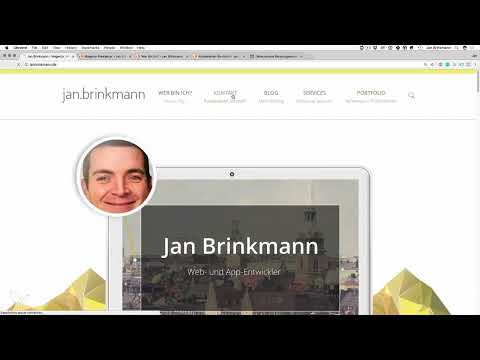
The video is only loaded from YouTube when you play it – data (including your IP address) is then transmitted to YouTube/Google. More in the privacy policy
Key Takeaways
- The homepage must make clear within a few seconds who you are and what you offer.
- Customer benefit is more important than perfect wording. Address the wishes and objections of your target customers.
- The essential pages include the homepage, About Me page, Services, Contact, Blog, and References.
- Every page needs a clear call to action, such as a contact form or a free consultation.
- Even without client projects, you can build references, for example with your own apps, articles, or open-source work.
Step-by-Step Guide
Step 1: Structure the homepage based on the theme template
Start with the homepage, because it is the most important page of your website. You don't have to reinvent anything for this. Many themes come with demo layouts that you can use as a guide. Adopt the sections that make sense for you, and replace the placeholders with your own content. In the end, the structure should look clear and guide every visitor through the most important information.

Step 2: Formulate customer benefit instead of striving for perfection
Your text doesn't have to be grammatically flawless or written in the style of a copywriter. What matters is that you address what your customer wants and make clear that you can offer exactly that. Also think about typical objections. Clients often fear that freelancers will be unreachable after the job or will work unreliably. If you address such concerns on the page, you remove hurdles even before the first contact.
Step 3: Place your name, offer, and focus areas in the header area
Right at the top of the page belong your name and a brief statement about what you do. In addition, you state your focus areas, such as Magento development, WordPress freelancing, or app development. Make sure the content looks up to date. Outdated information such as old years or obsolete technologies harms your impression more than it helps. One look at the page should be enough to grasp your profile.

Step 4: Start with a niche and sharpen your positioning
Many beginners offer too much and thereby seem arbitrary. Those who start with a clear focus appear more credible. You can concentrate on one topic at first and expand your site later, as soon as inquiries come in from related areas. It is important that your positioning reflects the actual state of your experience. Describe your path honestly, and it will become visible why you cover several areas today.

Step 5: Build trust through proof, numbers, and milestones
Now you show that you have expertise. Publications, trainings, or work as a trainer act as visible proof of your competence. Add concrete numbers such as years of experience, number of satisfied clients, or projects. A short timeline with your start, your first client project, and the growth of your offering makes your career tangible. Keep the numbers accurate and update them regularly.

Step 6: Describe services concretely and understandably
A service offering quickly becomes vague if it covers everything. Precise statements are better, for example two or three concrete frameworks instead of the phrase "various frameworks". For each service, describe what benefit the customer gets from it. Also add the typical workflow of the collaboration: contact, quote, implementation. That way, visitors know what to expect and feel more confident.

Step 7: Set a clear call to action and create contact as its own menu item
The homepage often lacks a clear call to action. Formulate concretely what the visitor should do, such as "Apply for a free consultation" or "Use the contact form". The contact area should additionally appear as its own menu item, because many visitors look for it specifically. On the contact page, you offer several ways: form, phone number, email address, and possibly a business network profile such as Xing. In practice, most inquiries come via the form and the phone.

Step 8: Set Up a Blog as a Source of Content
A blog should be present on your website, even if you don't have to maintain it daily. Write articles that you can later promote via Facebook or include in your email list. A post that has been created once can be used for months. Focus on topics that actually concern your target customers.

Step 9: Create a Separate Subpage for Each Core Service
Your most important services deserve their own page. On it, describe how long you have been working on the topic, why you work with it, and which services you specifically offer. Add your experience so that the page doesn't contain only promises. At the end of the page, you guide the visitor toward an action, such as requesting a non-binding quote. Add contact details and a form directly on the page.

Step 10: Make the About Me Page Personal and Tangible
On this page, you show who is behind the offering. Mention where you live, your professional background, and your enthusiasm for technology. Personal interests, such as sports or family, can also be included, as long as they suit you and make you more human. Finally, explain why a client should hire you in particular, and point to the contact options again. Requests that you can't take on yourself are passed on to colleagues, and this can also be mentioned briefly.

Step 11: Build References and a Portfolio, Even Without Client Projects
As a backend developer or with client projects whose code you are not allowed to show, it is difficult to present results. Therefore, use alternatives: open-source contributions, technical articles, publications, or training courses. As an app developer, you can put two or three of your own apps online and present them with screenshots or a walkthrough video. As a web developer, a project of your own is suitable, such as a WordPress theme that you publish. Designers have it easier here because their results can be shown directly. A project you implemented yourself is better than no reference at all.

Step 12: Set Up a Consulting Page with a Free Session
If you offer consulting in addition to development, a separate page for it is worthwhile. Present the consulting as a standalone offering and invite interested people to a free session. Place a clear button for it on the homepage as well, such as "Book a consultation." This way you reach visitors who are not looking for the classic service, but for support in getting started with freelancing.

Step 13: Use an Application Form with Targeted Questions
A questionnaire helps you qualify inquiries in advance. Ask for the name, contact details, and the desired project. The questions about the goal and the background are important. Many clients initially name only a solution, such as "The background color should be green." If you ask about the goal, it quickly becomes clear whether the request is driven by, for example, the aim of generating more revenue, and whether this approach really makes sense. You can also choose a hybrid model: a contact form always remains visible, and in addition, interested people apply for a free conversation or an analysis. This saves you time and means you mainly talk to serious prospects.

Summary ??? The Necessary Pages for Your Freelancer Website
A convincing freelancer website needs at least six building blocks: a homepage, an About Me page, service pages, a contact area, a blog, and references. On each of these pages, you put the customer benefit at the center, address possible objections, and prompt the visitor to take a clear action. If you are just starting out, you can build references yourself and expand your positioning over time. What matters is that your website answers your customer's questions before they have to ask them.
FAQ
Does my website have to be perfectly designed?No. It is more important that it clearly communicates the customer benefit and leads the visitor to take an action.
Which pages are indispensable?Homepage, About Me page, service pages, contact, blog, and references form the minimum basis.
What do I do if I don't have any references yet?Implement your own projects, such as apps or a WordPress theme, and publish them as a reference.
Why should contact be its own menu item?Many visitors specifically look for ways to get in touch. A separate menu item shortens the path to an inquiry.
Do I have to maintain my blog regularly?A blog should be present. You don't have to publish daily, but good articles provide content for advertising and email lists.
What is a hybrid model on the homepage?The contact form remains permanently visible, and in addition there is a free consultation or an analysis with pre-qualification.


