
Imagine you're standing in a church where hardly any light gets in, and your phone delivers only a washed-out, noisy image. This is exactly the problem the following process shows you. With the built-in night mode of your smartphone, a small tripod, and a little patience, you can create shots that look significantly brighter, clearer, and calmer than what you would normally expect in the dark. I'll show you step by step what you need to pay attention to and where the technology reaches its limits.
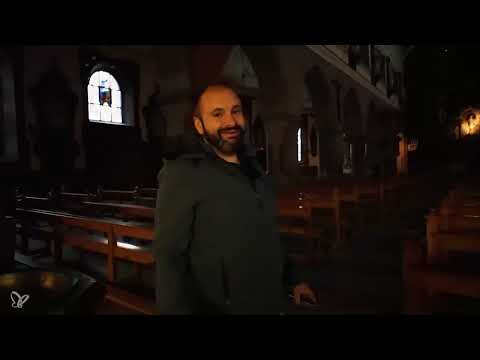
The video is only loaded from YouTube when you play it – data (including your IP address) is then transmitted to YouTube/Google. More in the privacy policy
Key Takeaways
- Your smartphone's flash only reaches a few meters in large, dark spaces. For interiors like a church, it is usually not a solution.
- Night mode exposes for several seconds and thus gathers light. For this you need a steady hand or a tripod.
- A small tripod, such as a Gorillapod, provides stability and prevents camera shake during long exposure times.
- Choose a central, symmetrical vantage point and align the image carefully. This looks especially harmonious in churches.
- Be patient: The shot takes around 20 seconds. Keep the phone still during this time.
Step-by-Step Guide
Step 1: Recognizing the Limits of the Flash
Before you get started, you should know why you can forget about the flash. I tried it right away: With normal photography and flash, the image in such a dark room quickly looks completely distorted. The flash only illuminates a small area, and even image editing can hardly salvage anything afterwards because there isn't much left of the image. As soon as you photograph subjects farther than about a meter and a half away, the flash simply does nothing. So plan from the start with other means.

Step 2: Choosing a Sensible Vantage Point
In the next step, you pick a vantage point. Aim your camera at the brightest area of the room, because that's where the little available light falls most strongly. In the example, the illuminated spots in the background or the areas lit from the side are suitable. Make sure you don't concentrate too much on dark surfaces, otherwise the camera lacks orientation for the exposure.

Step 3: Using a Tripod Like the Gorillapod
Now comes the point that makes the difference. With so little light, the phone needs a lot of time to capture enough light. Even minimal movements then lead to blurry photos. A small gadget like the Gorillapod solves this problem. It is small, fits easily into any jacket pocket, and can be clamped around pews, railings, or pillars. Attach your phone to it before you start shooting, and align it roughly. This way it stays still during the long exposure.

Step 4: Finding and Activating Night Mode
Night mode is a built-in function of your smartphone that, depending on the device, goes by different names and may be hidden. Open the camera app and look in the settings or in the mode bar. Once you have activated the mode, the display usually shows a moon icon or a time indication for the exposure. This is a good sign, because the phone has recognized that the lighting conditions are difficult and adjusts its shot accordingly.

Step 5: Aligning and Focusing
Now you align the image. Hold the phone as level as possible so that pillars, pews, and windows don't look crooked. Then tap on a point in the background, for example on a bright area deep in the room. This way the camera sets the focus there, and the subject stays sharp. Take your time with this setting, because later the perspective can only be changed with the tripod.

Step 6: Pressing the Shutter and Waiting Patiently
Now press the shutter button and then hold the phone completely still. In this case, night mode exposes for around 18 to 20 seconds. During this time, the camera builds up the image step by step. That also means: You must not move and should be as quiet as possible so that no one disturbs the shot. When the countdown has finished, you will see the finished result on the display.

Step 7: Test the perspective and align it symmetrically
A single photo is rarely enough. Try out different perspectives, for example a view with the large organ in the background. In churches, a central, centered perspective looks especially harmonious because architecture and symmetry go together. Look for the spot in the room where the central axis and the subject line up exactly, and align your phone accordingly. Then take another shot in night mode and wait around 20 seconds again.

Step 8: Check the result and readjust
Take a close look at the result. In the example, the pews are not positioned exactly symmetrically, since one stands slightly further forward than the other. Such small details are easy to correct in image editing, for example by straightening the image. Otherwise, the night mode photo is already so good that you often hardly need to do any post-processing. Compare the result with your first shot without night mode. The difference is often so big that it easily justifies the effort.

Summary – Smartphone Night Mode: Photographing a Church in Low Light Without Noise
You have seen that usable photos are possible even in an almost dark church if you rely on the right tools. Skip the flash as soon as subjects are farther away, and use your smartphone's night mode instead. A small tripod like the Gorillapod ensures that the image stays steady during the long exposure. Align your camera centrally and symmetrically, focus on a point in the background, and be patient while waiting. With this workflow, you get shots that hardly look like typical phone photos anymore.
FAQ
Do I absolutely need a tripod for night mode?A tripod is not strictly required, but it improves the results significantly. Since night mode exposes for several seconds, any hand movement leads to blur. A small gadget like the Gorillapod is completely sufficient for this.
Why is flash not a good choice in a church?A smartphone's flash only reaches a few meters. In a large room, it therefore only illuminates the nearby foreground, while the background stays dark. In addition, the image quickly looks overexposed or distorted.
How long does a night mode shot take?In the example shown, the camera exposes for about 18 to 20 seconds. During this time, you must hold the phone steady and must not move.
Where do I find night mode on my phone?Depending on the device, night mode is named differently and is sometimes hidden. Look in the mode bar of the camera app or in the settings. You can often recognize it by a moon symbol.
Can I correct crooked images later?Yes, small tilts can be straightened with image editing or your phone's crop functions. For strong distortions, however, you should align the image carefully while shooting whenever possible.
Which position works best in a church?A central perspective looking along the central axis often looks the most harmonious in churches. Make sure that columns, pews, and architecture appear as symmetrically as possible in the image.


