Christian Gerth has been working intensively with digital art on a part-time basis since 2010. This can involve compositions, photo editing or even completely painted pictures. He often has an idea or an inner image and then wants to put it on "paper". He uses Photoshop to help him do this. However, a good program or a fast computer is not the main thing. It seems much more important to him to have an eye for a picture or a motif. In addition, a composition is also dominated by perspective, light and shadow, contrasts, mood, etc.. Capturing and implementing all these factors is what gives digital art its great appeal. Your trainer for digital painting & 3D modeling!
Christian Gerth – Trainer for Pixologic ZBrush, Photoshop & Maxon Cinema 4D
Areas of expertise
- 5 courses
- 98 video lessons
- 24 hours of video
- 70 text tutorials
To website: christiangerth.ch/
Courses by Christian Gerth
Go to content
To ZBrush 2020 and 2021: Video training on the updates
ZBrush 2020 and 2021: Video training on the updates
Simplify your 3D work!
1 hour 43 minutes
Go to content
To ZBrush 2019 - Video training for the update
ZBrush 2019 - Video training for the update
Apply the innovations directly!
2 hours 44 minutes
Go to content
To ZBrush 2018 and 4R8: Video training on the updates
ZBrush 2018 and 4R8: Video training on the updates
All important functions explained
4 hours 23 minutes
Go to content
To 3D design and composing: Cinema 4D meets Photoshop
3D design and composing: Cinema 4D meets Photoshop
Creative workshop in a class of its own!
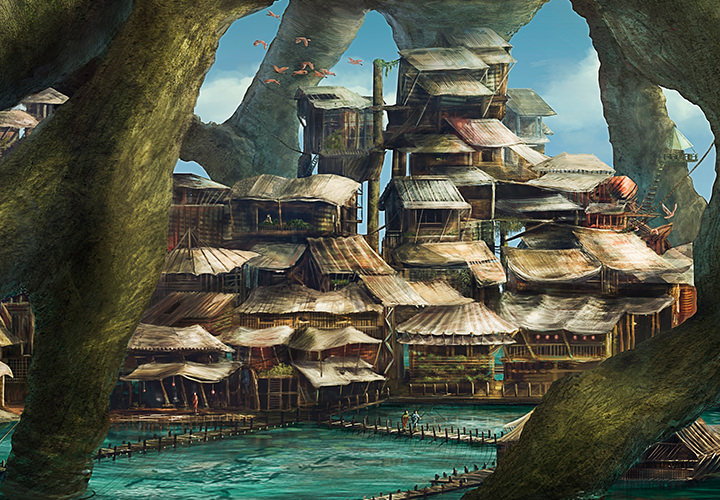
7 hours 5 minutes
Go to content
To Digital & Matte Painting: Photoshop Tutorial (German)
Digital & Matte Painting: Photoshop Tutorial (German)
On your pens, get set, go!
11 hours 50 minutes
Latest text tutorials by Christian Gerth
- ZBrush 2019 – Use of the Universal Camera for Improved Rendering
- ZModeler Extrude Edge – Your Guide to Modeling
- ZBrush 2021: Dynamic Thickness for Effective Mesh Design
- ZBrush 2019 ZColor Plugin – Effectively Manage Colors
- Create impressive NPR render models in ZBrush
- Effectively Using the ZBrush Subtools Menu
- Tips for Dynamesh in ZBrush 2018
- ZBrush 2020/2021 – Integrate dynamic updates
- FBX Import/Export in ZBrush 2020 explained easily
- ZBrush – Create animal models easily with the ZeeZoo folder
- ZBrush 2020 – Guide for History Recall & Projection
- ZBrush 2021: Cloth Brushes for Dynamic Fabric Deformations
- Save ZBrush projects as image files
- ZBrush 2021 – Creating Detailed Meshes with MicroPoly
- Create and adjust parametric objects with Gizmo 3D
- ZBrush 2018: Use PolyGroupIt for creating PolyGroups
- ZBrush to Photoshop – Efficient Work with Renderings
- Drawing precise lines with ZBrush 4R8: Lazy Mouse 2.0
- Understanding and Applying the Brush Tool – Tips for Digital Painting
- Color wash in digital painting – Tinting values