
Elementor for WordPress (Tutorial): How to create your own Pages with the Page Builder

- Step by step: How to create your own web pages with the Elementor page builder
- Easy to get started: Learn how to prepare WordPress, the Elementor plugin and your domain
- Practical examples: See what you can achieve with the Free and Pro versions of Elementor
- Comprehensively explained: over 9-hour tutorial by trainer Tobias Becker
From a blank page to your own website: How to proceed - what tools Elementor offers you - start the tutorial and let us know!
111 Videos, 567 minutes
Introduction
Elementor for WordPress: 1.1 | Introduction
2 minIn this video, I'll give you a very brief introduction to this WordPress Elementor video course.
Elementor for WordPress: 1.2 | What is WordPress?
7 minIn this video, I explain in detail what WordPress is.
WordPress Basics: Hosting & Domain
Elementor for WordPress: 2.1 | Which hosting providers are available?
5 minIn this video, I explain which hosting providers are available.
Elementor for WordPress: 2.2 | Domain check: Which domain do I want?
4 minIn this video we do a short domain check.
Elementor for WordPress: 2.3 | Secure hosting and domain
6 minIn this video we secure hosting.
Elementor for WordPress: 2.4 | Install WordPress
4 minIn this video we install WordPress.
Elementor for WordPress: 2.5 | Don't forget your SSL certificate!
4 minIn this video I show you how to add an SSL certificate.
WordPress basics: The first introduction
Elementor for WordPress: 3.1 | Definition for WordPress
6 minIn this video you will find an explanation of WordPress.
Elementor for WordPress: 3.2 | Your first WordPress login
4 minIn this video, we discuss your first WordPress login.
Elementor for WordPress: 3.3 | SeedPro plugin, so as not to be disturbed while working
10 minIn this video I show you the SeedPro plugin.
Elementor for WordPress: 3.4 | Alternative without plugin
2 minIn this video I show you an alternative without a plugin.
Elementor for WordPress: 3.5 | Create your first page and turn it into a homepage
5 minIn this video, I'll show you how to create your first page.
Elementor for WordPress: 3.6 | Create imprint
5 minIn this video, we explain how to create an imprint.
Elementor for WordPress: 3.7 | Create privacy policy
6 minIn this video, I show you how to create a privacy policy.
Elementor for WordPress: 3.8 | Set up cookie banner
7 minIn this video I show you how to set up a cookie banner.
Elementor – On your mark, get set, go
Elementor for WordPress: 4.1 | What is Elementor?
2 minIn this video, I explain what Elementor is.
Elementor for WordPress: 4.2 | What can Elementor do?
5 minIn this video, we explain what Elementor can do.
Elementor for WordPress: 4.3 | Explanation of terms for Elementor
5 minIn this video you will find an explanation of Elementor.
Elementor: Overview
Elementor for WordPress: 5.1 | Pro vs Free Elementor
6 minIn this video we compare Elementor Pro with the free version.
Elementor for WordPress: 5.2 | Themes - an overview
6 minIn this video I give you an overview of the themes.
Elementor for WordPress: 5.3 | Install the OceanWP theme
2 minIn this video we install the OceanWP theme.
WordPress plugins
Elementor for WordPress: 6.1 | Plugins - an overview
6 minIn this video I give you an overview of the plugins.
Elementor for WordPress: 6.2 | Install and activate Elementor
3 minIn this video we install Elementor.
Elementor for WordPress: 6.3 | Install additional plugins (Envato Elements, Ocean Extra)
3 minIn this video we install additional plugins.
Elementor for WordPress: 6.4 | Alternative Starter Templates
3 minIn this video I show you a simple alternative.
Preparation for Elementor
Elementor for WordPress: 7.1 | Prepare and set up pages with OceanWP
8 minIn this video we prepare our pages.
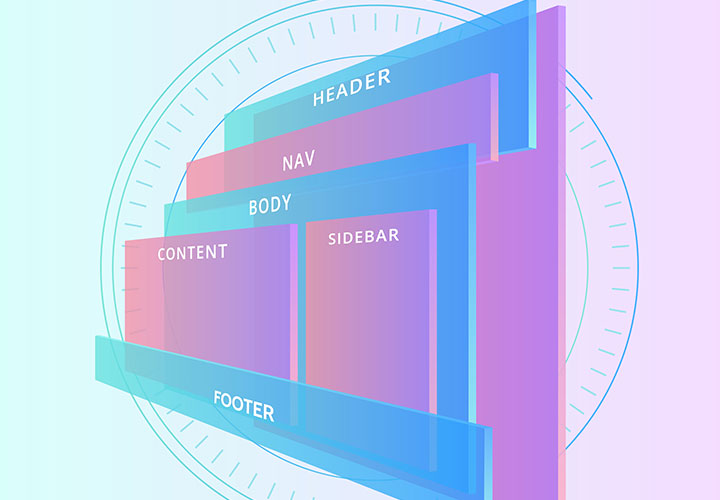
Elementor for WordPress: 7.2 | Elementor - the page structure at a glance
6 minIn this video I show you an overview of the page structure.
The basics of Elementor
Elementor for WordPress: 8.1 | The tabs explained: Content, Style and Advanced
3 minIn this video we talk about the different riders.
Elementor for WordPress: 8.2 | Enable editing icons
3 minIn this video, we activate the editing icon.
Elementor for WordPress: 8.3 | Preview with Elementor
2 minIn this video I show you the preview.
Elementor for WordPress: 8.4 | General settings
3 minIn this video we make general settings.
Settings when editing
Elementor for WordPress: 9.1 | Column settings
4 minIn this video we talk about the column settings.
Elementor for WordPress: 9.2 | Ways to edit faster
3 minIn this video, we talk about one way to work faster.
Basic settings
Elementor for WordPress: 10.1 | Global colors
4 minIn this video I show you how to work with global colors.
Elementor for WordPress: 10.2 | Typography settings
5 minIn this video I show you the typography settings.
Elementor for WordPress: 10.3 | Button settings
4 minIn this video we discuss the button settings.
Tool bar
Elementor for WordPress: 11.1 | Navigator
3 minIn this video I show you the Navigator.
Elementor for WordPress: 11.2 | History and revision
3 minIn this video we discuss the process and the revision.
Template library
Elementor for WordPress: 12.1 | Connect with the template library (Library)
4 minIn this video we connect to the template library.
Elementor for WordPress: 12.2 | The template library at a glance
7 minThis video provides an overview of the template library.
Advanced settings
Elementor for WordPress: 13.1 | Advanced
5 minIn this video we discuss the advanced settings.
Elementor for WordPress: 13.2 | Motion effects
6 minIn this video I show you the movement effect.
Elementor for WordPress: 13.3 | Background
5 minIn this video we discuss the background.
Elementor for WordPress: 13.4 | Frame
4 minIn this video we discuss the framework.
Elementor for WordPress: 13.5 | Masking
5 minIn this video we discuss masking.
Elementor for WordPress: 13.6 | Positioning
3 minIn this video we discuss positioning.
Basic elements
Elementor for WordPress: 14.1 | Inner section
13 minIn this video we discuss the inner section.
Elementor for WordPress: 14.2 | Headings
8 minIn this video we discuss the headings.
Elementor for WordPress: 14.3 | Images
10 minIn this video we discuss the pictures.
Elementor for WordPress: 14.4 | Text editor
6 minIn this video we discuss the text editor.
Elementor for WordPress: 14.7 | Separator
7 minIn this video we discuss the separator.
Elementor for WordPress: 14.8 | Distance
2 minIn this video we discuss the distance.
Elementor for WordPress: 14.9 | Google Maps link
5 minIn this video we discuss the Google Maps link.
Elementor for WordPress: 14.10 | Icon
5 minIn this video we discuss the icon.
Further elements
Elementor for WordPress: 15.1 | Image box
8 minIn this video we discuss the picture box.
Elementor for WordPress: 15.2 | Icon-Box
3 minIn this video we discuss the icon box.
Elementor for WordPress: 15.3 | star rating
5 minIn this video we discuss the star rating.
Elementor for WordPress: 15.4 | Image Carousel
8 minIn this video we discuss the image carousel.
Elementor for WordPress: 15.5 | Image gallery
5 minIn this video we discuss the picture gallery.
Elementor for WordPress: 15.6 | Icon list
5 minIn this video we discuss the icon list.
Elementor for WordPress: 15.7 | Counter
6 minIn this video we discuss the meters.
Elementor for WordPress: 15.8 | Progress bar
3 minIn this video we discuss the progress bars.
Elementor for WordPress: 15.9 | Recommendation
4 minIn this video we discuss the recommendation.
Elementor for WordPress: 15.10 | Tabs
4 minIn this video we discuss the tabs.
Elementor for WordPress: 15.11 | Accordion
5 minIn this video we discuss the accordion.
Elementor for WordPress: 15.12 | Switcher
2 minIn this video we discuss the switch.
Elementor for WordPress: 15.13 | Social Network Icons
6 minIn this video we discuss the social network icons.
Advanced elements
Elementor for WordPress: 16.1 | Warning
4 minIn this video we discuss the warning.
Elementor for WordPress: 16.2 | SoundCloud
3 minIn this video we discuss SoundCloud.
Elementor for WordPress: 16.3 | Shortcode and HTML
1 minIn this video we discuss the shortcode.
Elementor for WordPress: 16.4 | Menu Anchor
4 minIn this video we discuss the menu anchor.
Elementor for WordPress: 16.5 | Sidebar
3 minIn this video we discuss the sidebar.
Website with Elementor Free
Elementor for WordPress: 17 | Elementor website with the free version
26 minIn this video we build an Elementor website with the free version.
Contact form
Elementor for WordPress: 18.1 | Create contact form
7 minIn this video we create a contact form.
Elementor for WordPress: 18.2 | Legally secure contact form
4 minIn this video, we provide legal protection for the contact form.
Settings with the Elementor Pro version
Elementor for WordPress: 19.1 | Install Elementor Pro
7 minIn this video we install the Elementor Pro version.
Elementor for WordPress: 19.2 | Elementor Pro: Overview
2 minIn this video I give you an overview of the Pro version.
Elementor for WordPress: 19.3 | Dynamic Atrributes
6 minIn this video we discuss the dynamic attributes.
Elementor for WordPress: 19.4 | Website elements
6 minIn this video we discuss the website elements.
Pro-elements
Elementor for WordPress: 20.1 | Posts
9 minIn this video we discuss the posts.
Elementor for WordPress: 20.3 | Form
10 minIn this video we discuss the form.
Elementor for WordPress: 20.4 | Multistep form
5 minIn this video we discuss the multistep form.
Elementor for WordPress: 20.5 | Login
2 minIn this video we discuss the login.
Elementor for WordPress: 20.6 | Slides
7 minIn this video we discuss the slides.
Elementor for WordPress: 20.7 | Animated headline
5 minIn this video we discuss the animated headline.
Elementor for WordPress: 20.8 | Price List
5 minIn this video we discuss the price list.
Elementor for WordPress: 20.9 | Price Table
7 minIn this video we discuss the price table.
Elementor for WordPress: 20.10 | Flip Box
4 minIn this video we discuss the Flip Box.
Elementor for WordPress: 20.11 | Call to Action
4 minIn this video we discuss the call to action.
Elementor for WordPress: 20.12 | Media Carousel
6 minIn this video we discuss the media carousel.
Elementor for WordPress: 20.13 | Testimonial Carousel
4 minIn this video, we discuss the testimonial carousel.
Elementor for WordPress: 20.14 | Reviews
3 minIn this video we discuss the reviews.
Elementor for WordPress: 20.15 | Share button
4 minIn this video we discuss the share button.
Elementor for WordPress: 20.16 | Blockquote
3 minIn this video we discuss the blockquote.
Elementor for WordPress: 20.17 | Lottie
5 minIn this video we discuss Lottie.
Elementor for WordPress: 20.18 | Facebook Button, Comments, Embed and Pages
4 minIn this video we discuss the Facebook elements.
Elementor for WordPress: 20.19 | PayPal button
3 minIn this video we discuss the Paypal button.
Elementor for WordPress: 20.20 | Video-Playlist
4 minIn this video we discuss the video playlist.
Website with Elementor Pro
Elementor for WordPress: 21 | Elementor website with the Pro version
15 minIn this video, we create a WordPress website with the Elementor Pro version.
You still need to know this!
Elementor for WordPress: 22.1 | Create your website's menu
6 minIn this video we create the menu for your website.
Elementor for WordPress: 22.2 | Format the header of your website
3 minIn this video we create the header of your website.
Elementor for WordPress: 22.3 | Format your website's menu
6 minIn this video we format the menu of your website.
Without this information, it won't work
Elementor for WordPress: 23.1 | Footer of your website with Envato Elements
2 minIn this video we create the footer of your website.
Elementor for WordPress: 23.2 | Integrate imprint and data protection and make them accessible
3 minIn this video, we integrate the legal notice and privacy policy into the menu.
Elementor for WordPress: 23.3 | Save templates in Elementor
3 minIn this video we save your website as a template.
Elementor for WordPress: 23.4 | Save entire page in Elementor
3 minIn this video we save your entire website.
Elementor for WordPress: 23.5 | Imprint obligation
2 minIn this video you will find some information about the imprint obligation.
Graduation
Elementor for WordPress: 24 | Completion
2 minIn this last lesson, I would like to say goodbye to you.
Examples of use
-
 Learn how to create your own WordPress websites with Elementor.
You might also like

For error-free, fast websites with optimized layouts
For modern websites & apps

Step by step to your own functional forms

How your websites & apps speak like ChatGPT
Comment now „Elementor for WordPress (Tutorial): How to create your own Pages with the Page Builder“