

Note: The transcript covers Langflow, not Flowise, as the video title suggests. The guide therefore follows the content of the video.
The video is only loaded from YouTube when you play it – data (including your IP address) is then transmitted to YouTube/Google. More in the privacy policy
Introduction
You don't need to write a single line of code for a working AI agent. With Langflow, you arrange ready-made building blocks on a canvas and connect them to each other. In this guide, I'll walk you through everything from the download and registration to your first chat with your agent. I'll also show you which features Langflow offers beyond the basics and where the platform reaches its limits.
Key Takeaways
- Langflow works on the drag-and-drop principle: You drag components onto the interface and connect them.
- Templates give you ready-made workflows as a starting point that you can use directly or customize.
- To use it, you need an API key, in the video for example from OpenAI.
- Langflow is more powerful than simple entry-level tools, but more complex to operate and intended more for advanced users.
Step 1: Getting to Know the Platform
The first look at langflow.org already shows you the basic principle. Here, too, you add building blocks via drag-and-drop, similar to other visual workflow tools. In addition to the graphical interface, Langflow gives you the option to look under the hood. If you know Python, you can write scripts and use the Python API. There are also numerous interfaces to well-known services such as Gmail, Notion, Wikipedia or CrewAI.

Step 2: Downloading the Desktop Version
Click "Get Started for free" on the website. Langflow can be downloaded to your computer as software. Choose the operating system you use and install the application. After that, you can start Langflow locally.

Step 3: Creating an Account
When you start it for the first time, you have to register. For this you need an email address and a password. After logging in, you land on the start page, which shows you your projects and templates.

Step 4: Choosing a Template as a Starting Point
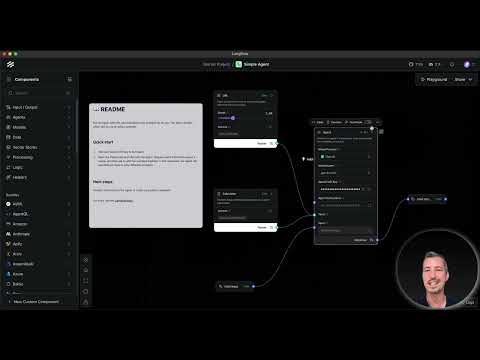
On the start page you'll find several templates, including "Basic Prompt", "Vector Storage RAG" and "Simple Agent". For your first attempt, the Simple Agent is the best choice. It already contains all the necessary building blocks, so you don't have to assemble anything from scratch. Many templates additionally include instructions, such as the Market Researcher, which shows you which services you need.
Step 5: Entering the OpenAI Key
So that the agent can work with a language model, you have to enter your API key. To do this, open the "Chat Agent" component and paste your OpenAI key into the corresponding field. You can leave the agent instruction ("You are a helpful assistant") unchanged for the first test. The keys generally work regardless of which template you use.

Step 6: Testing the Agent in the Playground
Once the key is entered, you open the Playground. There you start a test run with "New Chat". Ask a simple question, for example about the largest building in the world. The agent answers directly in the chat window, similar to ChatGPT. This gives you a working agent in just a few minutes.

Step 7: Choosing the Language Model and Keeping an Eye on Costs
A model is set in the agent, in the video GPT-4.1. This model is powerful, but also more expensive. For tests, the smaller variant GPT-4.1 mini is usually enough. You can switch the model at any time by adding a new Language Model component. Langflow supports not only OpenAI but also other providers such as Gemini.

Step 8: Extending the Workflow
The agent can be expanded as needed. You can add more agents, define additional input and output channels, or work on two variants side by side. You can also connect external data sources. This is where terms like Vector Storage or Processing come into play, which are somewhat more technical and lead deeper into the subject.

Step 9: Understanding a Complex Workflow
A look at the Market Researcher shows how a larger process is structured. The request reaches the agent via the Chat Input. The agent uses the search service Tavily for research and works together with the language model in the process. Afterwards, a component structures the data, a parser prepares it, and the Chat Output displays the result. For this workflow, you therefore need both an OpenAI key and a Tavily key.

Step 10: Assessing the Platform's Limits
Langflow is significantly more powerful than simple beginner tools, but it requires more prior knowledge in return. With more complex workflows, you have to enter information manually, and the user interface seems less intuitive than comparable applications. If you still want to dive deeper, you can find numerous tutorials on Langflow on YouTube.

Summary – Langflow: Building an AI Agent Visually with Drag-and-Drop
With Langflow, you build an AI agent without having to program. You download the desktop version, create an account, and start with a template like the Simple Agent. After entering your API key, you test the agent in the Playground. Afterwards, you can switch models and expand workflows. The platform offers a lot of power, but requires patience and some technical understanding. As a next step, it is worth taking a look at CrewAI, which also focuses on AI agents.
FAQ
What is Langflow?Langflow is a visual platform with which you assemble AI agents and workflows via drag-and-drop.
Do I need to know how to program?Not for simple agents. However, basic knowledge is helpful for more in-depth customizations or for using the Python API.
Which API key do I need?In the video, an OpenAI key is used. The Market Researcher workflow additionally requires a Tavily key.
Which language model should I choose?GPT-4.1 mini is cheaper and is sufficient for most test runs.
Is Langflow easier to use than Flowise?According to the speaker, Langflow is more powerful, but less user-friendly and better suited to advanced users.

