

If automation appeals to you but you don't feel like paying for expensive monthly subscriptions, it's worth taking a look at n8n. The platform is open source, you can run it yourself, and you keep full control over your workflows. In this guide, you'll learn what n8n can do, how to get started with the cloud or self-hosting, and how to build a first workflow that summarizes form data with OpenAI and passes it on to Trello and Slack.
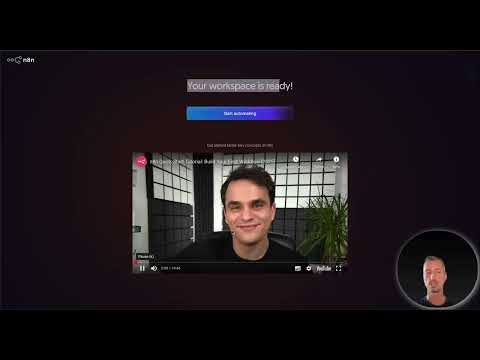
The video is only loaded from YouTube when you play it – data (including your IP address) is then transmitted to YouTube/Google. More in the privacy policy
Key Takeaways
n8n is an open-source automation platform that you can self-host for free. What costs money is mainly the connections to third-party services such as AI models, as well as the optional cloud version. The interface works with a visual workflow designer in which you connect building blocks via drag and drop. For parallel outputs to multiple tools, you need a Switch node, which you add manually. Start with simple flows before building complex AI agents, because that makes it much easier to find errors.
Step-by-Step Guide
Step 1: Understanding the Basic Idea of n8n
n8n can be compared to platforms like Zapier or Make. You connect services with each other so that an event in one tool automatically triggers an action in another. The big difference lies in how it's operated: with the Free Edition, you install n8n on your own server, and you only pay the server costs. However, connections to external services such as the OpenAI API incur their own costs. On the official homepage, you can also see numerous examples, such as an AI agent for onboarding new employees that passes information on to chat services and Microsoft tools.

Step 2: Choosing Between Cloud and Self-Hosting
Before you get started, decide on the mode of operation. The cloud version is ready to use immediately: you sign up, the server is created in the background, and you don't have to install or configure anything. Self-hosting, on the other hand, gives you control over your data and no limits imposed by the platform. If you process personal data, for example in companies within the EU, you should definitely check the GDPR requirements and, if necessary, talk to the data protection officer. The documentation describes various installation methods, for example with Docker, and is easy to follow despite being in English.

The cloud prices in the video start with the Starter plan at around 20 or 24 euros per month, depending on the billing interval. For that, you get 2,500 workflow executions per month. However, prices change regularly, so check them on the website before you commit.

Step 3: Creating an Account and Exploring the Interface
For the cloud version, you register with a username and password; signing in via Google is not available. After registration, the server is generated and you land in the backend. In the left menu you'll find the most important areas: Workflows, Credentials, and Executions. Under Credentials, you store access data for external services; under Executions, you see the logs of all runs. Via the Personal or Projects area, you organize your automations sensibly. You usually don't need the settings in the admin area yet when getting started.


Step 4: Using Templates as a Learning Resource
Before building something yourself, it's worth taking a look at the templates. There you'll find thousands of ready-made workflows that can be filtered by topics such as Sales, IT, or AI. Each template usually includes an explanation so that you can understand the flow. You can import a template into your workspace with a click, but you'll have to add the missing credentials yourself afterwards. For getting started in particular, simple templates with Gmail are well suited before you move on to AI agents.

Step 5: Creating Your First Workflow
A new workflow always begins with a trigger, i.e., the initiator. Via the plus icon, you create a workflow, credentials, or a project. For a first test, the manual trigger is suitable, which you start with a click. Then you add further nodes, such as the Gmail node for retrieving messages. For Gmail, you must create credentials beforehand. The assistant in the interface gives you hints on how to set up the individual steps.


Step 6: Set up a form as the starting point
For the practical example, you use a form trigger. It provides the inputs that will be processed later. Add the N8N Form Trigger node and assign a title. You can initially set authentication to none if you are only testing. Then you create the form fields, for example a text field with a placeholder. After submitting, n8n shows you the submitted data. For this example you only need a single field if you just want to understand the mechanics.


Step 7: Summarize texts with OpenAI
In the next step, you connect the form trigger to an OpenAI node that summarizes the entered text. Select a model and store your API key as a credential. In the prompt, you formulate the task, for example: Summarize the following text. Using the input view, you drag the field containing the form text into the prompt. This way, every input is automatically passed to the model.
Pay attention to costs when choosing a model. According to the video, a large model is significantly more expensive than a small one, so a smaller, cheaper model is recommended for simple summaries.

Step 8: Send results to Trello and Slack
The finale consists of two targets: The summary should end up as a card in Trello, and a message should appear in Slack. To do this, add the Trello node with the action Create Card. After storing the credentials, you select the board and list and use the summary as the card text. Then you add the Slack node with the action Send Message and specify the recipient and the message text.
If both nodes are connected directly one after the other, they run in parallel. Here you have to manually insert a Switch node in n8n, whereas other tools handle this automatically. A Switch distributes the data cleanly to the desired targets.


Step 9: Test the workflow and expand it further
Test the process by submitting the form and checking the execution in the log. Once all credentials are stored, building further workflows goes much faster because you don't have to enter the access data anew for each node. The visual designer allows you to place nodes freely and form groups, which keeps large processes easy to oversee. A good small exercise is a workflow that automatically saves new Gmail messages to Google Sheets.

Summary ??? Setting up and using open-source automation with n8n
n8n offers you a flexible automation platform that you can run yourself for free. You decide between cloud and self-hosting, connect forms, AI models, and services like Trello or Slack, and structure the processes using the visual designer. Start with simple workflows and use the templates as a starting point. Once you have mastered the basics, you can venture into more complex AI agents.
FAQ
Is n8n really free?You can download the Free Edition for free and host it yourself, in which case you only pay server costs. Connections to external services such as OpenAI incur their own costs.
Which operating mode is better for beginners?The cloud version is ready to use immediately and requires no installation. If you want control over data and servers, choose self-hosting.
Can I sign in to n8n with my Google account?No, for the cloud version you register with a username and password.
What is the Switch node used for?It distributes data to multiple targets in a defined order or branching. In n8n, you have to add it manually for parallel outputs.
Which models should I choose for simple AI tasks?Smaller models are cheaper and are sufficient for many summaries. Compare the providers' prices before you decide.
What should I practice first?Start with a simple process, such as form to email, before building complex agents. This makes troubleshooting considerably easier.
