
Imagine describing an idea in a few sentences and shortly afterwards holding a working mini app in your hands. This is exactly the direction in which the future of Google Opal is heading. This text guides you through the final lesson of the course and shows you which developments you should keep an eye on, which opportunities arise from them, and where the risks lie.
The video is only loaded from YouTube when you play it – data (including your IP address) is then transmitted to YouTube/Google. More in the privacy policy
Introduction
You have already learned how Google Opal works, what possibilities it offers, and where its limits lie. Now it's about looking ahead: How does app development change when software is created without programming knowledge? What role does artificial intelligence play in this, and what do you need to keep in mind when working with such tools? The following steps organize these questions and give you a clear overview.
Key Takeaways
- Software is increasingly created through language and drag-and-drop instead of code.
- Mini apps can be created in a few minutes and refined step by step.
- Collaboration with AI is shifting from technical craftsmanship to clearly formulating your intention.
- Governance, security, and responsibility are crucial so that opportunities can be used safely.
- Automation is becoming part of the everyday life of many people, not just of development teams.
Step-by-Step Guide
Step 1: Properly Assess the Current State
Before you look into the future, a short look back is worthwhile. You already know Opal as a tool with which you build and test workflows. The key point: the tool is still experimental. That is exactly why you should assess the current possibilities realistically while also observing how the range of functions develops. For your own work, note which functions you can already use today and which expectations are still open.

Step 2: Understand the Democratization of App Development
Google is clearly betting on software creation without code. This means: you describe what your tool should do, and the system turns this description into a working application. The technical hurdle that used to stop many ideas thus loses weight. Professionals from marketing, administration, education, or sales can develop their own solutions without first having to learn a programming language. This change is often described as a paradigm shift because it changes the question of who is allowed and able to build software.

Step 3: Create and Iterate on Mini Apps Quickly
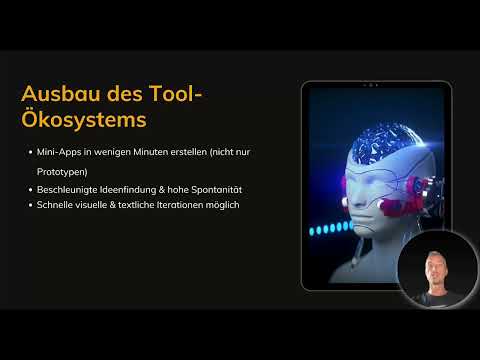
A key advantage lies in speed. With Opal, mini apps are created in a few minutes, and these are not just prototypes but functional applications. This considerably shortens the phase from idea to test. At the same time, you can iterate visually and textually, that is, improve step by step. Test your first version, note what is missing, and adjust the description or the design. This creates a cycle of idea, test, and improvement that encourages spontaneity.

Step 4: Keep an Eye on the Tool Ecosystem
The development is not limited to the individual tool. According to the current state of information, Google plans global availability beyond the previous markets. In addition, integrations with Google Workspace, cloud services, interfaces (APIs), and third-party providers are expected to grow. On top of that come community templates, through which users can share ideas and learn from each other. For you, this means: follow announcements, check out new templates, and consider which connections to your existing workflows would make sense.

Step 5: Use the New Collaboration with Artificial Intelligence
The way you work with technology is changing fundamentally. Previously, you faced individual technical steps. Today, you are more likely to have a conversation with the system. You formulate your intention, and the system implements it visually, dynamically, and adaptably. Make sure your descriptions are precise. The more clearly you state what result you want and who the application is intended for, the better the implementation will turn out.

Step 6: Recognize Risks and Tackle Challenges
Rapid development also brings risks. These include security issues, potential misuse, and problems with the management and control of AI systems. Companies therefore need to develop strategies that define how such tools are used responsibly. You can also take precautions yourself: Check what data you enter into an application, and consider whether a solution is compatible with your guidelines. Governance is not a brake, but the prerequisite for being able to take advantage of opportunities in the long term.

Step 7: Experiment with clear rules
A helpful image is the sandbox, a protected space for experimentation. In it, you are allowed to try things out, fail, and learn, as long as clear rules apply. Define for yourself or your team which data is allowed, who approves applications, and how results are reviewed. This way, creativity is preserved without losing sight of security and responsibility.

Step 8: Find your own path into automation
The last step is the most important one: Get started. The vision is that automations become democratic, creative, secure, and visually accessible. Tools are developing into the foundation for individual workflows, and over time more and more people are building their own automations as part of their everyday lives. Choose a concrete problem from your daily work, describe it in clear words, and build your first Opal application from it. You will quickly notice how your way of thinking changes: away from code, toward the idea.

Summary – Google Opal: Where AI automation is heading
The future of Google Opal lies in the combination of language, visualization, and artificial intelligence. You create software by describing what it should do, and adjust it in short cycles. At the same time, the tool ecosystem and the integrations are growing. To make use of these opportunities responsibly, you need clear rules and an awareness of security issues. If you start today with your first own workflow, you will be well prepared for this development.
FAQ
What does the democratization of app development mean?Democratization means that software is no longer created only by programmers. Through voice input and visual tools, people without a technical background can also develop their own applications.
Are Opal's mini-apps just prototypes?No. According to the course content, they are real apps and not just prototypes intended solely for testing. Nevertheless, the tool is still in an experimental stage.
What risks are there when using AI tools?The risks include security issues, potential misuse, and governance challenges. Companies should therefore establish clear strategies and rules for their use.
Why is governance so important?Governance ensures that new technologies are used responsibly. It creates a reliable framework in which opportunities can be taken advantage of without jeopardizing security or data protection.
What is a sandbox in the context of AI tools?A sandbox is a protected space for experimentation. There you can try out new tools and learn from them, as long as firm rules for data, approvals, and reviews apply.
How can I prepare for the future of automation?Start with a concrete problem from your everyday life, describe it clearly, and build a first workflow from it. Also keep track of new developments regarding integrations and community templates.

