
Imagine you simply describe in full sentences what you want a program to do for you, and the software builds the matching workflow. This very promise is at the heart of Google Opal. In this chapter, you'll see how Opal differs from well-known automation tools like n8n, Zapier, and Make, where its strengths lie, and who it is especially worthwhile for.
The video is only loaded from YouTube when you play it – data (including your IP address) is then transmitted to YouTube/Google. More in the privacy policy
Key Takeaways
- Opal is aimed at beginners because you don't need any programming knowledge and workflows are created from a text description.
- The AI is built directly into the workflow. It can analyze texts, generate content, and make decisions.
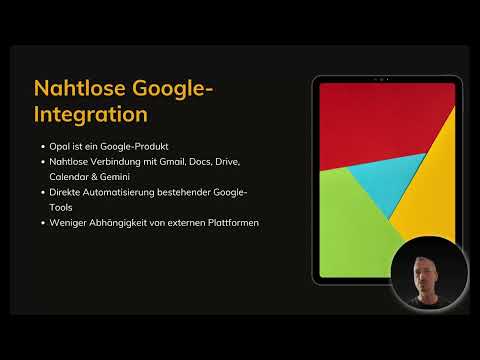
- Opal is closely connected to Google services such as Gmail, Docs, Drive, Calendar, and Gemini.
- As long as Opal is in the beta phase, it can be used for free.
- n8n, Zapier, and Make retain the advantage when you need full control, code integration, or external interfaces.
Step-by-Step Guide
Step 1: Understanding Simplicity as the Core Principle
The first difference is already apparent at the start. With Zapier, Make, and n8n, you often have to work your way through numerous settings, fields, and menus before a functioning workflow even emerges. Opal, by contrast, is designed from the ground up so that you need as little technical knowledge as possible. You don't have to program and you don't have to click through endless menus. This simplicity is not a side aspect, but the central design goal of the tool.

Step 2: Letting the Workflow Be Created Through Description
In everyday use, this means: You formulate what you want to achieve, for example, that incoming requests should be summarized and stored in a document. Opal automatically creates a suitable workflow from this. Especially if you don't yet know which building blocks you need at all, this step takes away a lot of uncertainty. Don't let that fool you, though: with Opal, too, you should check the result, because a precise description leads to better results.
Step 3: Looking at and Understanding Example Workflows
To better understand the approach, it's worth looking at finished examples. With such workflows, you quickly see how a simple task description becomes a functioning automation. Along the way, you learn how inputs, processing, and results relate to one another. This approach is especially valuable for beginners because it builds understanding before you implement your own ideas.
Step 4: Checking Availability in Germany
An important note up front: At the time of the video, Opal is not yet officially available in Germany. The speaker announces that he will show how you can still get access. However, this part is not included in this chapter but is covered later. Therefore, plan to find out about the current access status before you start.
Step 5: Using the AI Integration
The second major advantage is the deep integration of artificial intelligence. With n8n, Zapier, and Make, the AI usually acts as a separate building block that you insert into an existing workflow. With Opal, by contrast, it is part of the system itself. The tool can analyze texts, generate content, and automate decisions. Opal is therefore particularly strong in content creation, data preparation, and more complex workflows. The other tools aren't bad at this; they are primarily designed as interface managers that connect applications with one another. Opal goes a step further here.

Step 6: Making the Most of the Seamless Google Integration
Since Opal is a Google product, it fits into your familiar working environment. Gmail, Google Docs, Drive, Calendar, and Gemini can be integrated directly. If you already use many of these services, you can automate them much more directly than via external platforms. So you move within the Google world instead of shuffling data back and forth between different services.

Step 7: Considering the Limits of the Ecosystem
This advantage has a downside. Opal is currently geared toward Google services, and external connections are only provided for to a limited extent. Critics see this as a strategy to lock users permanently into the Google ecosystem. How Opal develops further remains to be seen. If it succeeds in connecting external tools with the same simplicity, many users could do without n8n, Zapier, and Make. Until then, you should check whether your use cases can get by with Google services alone.
Step 8: Keep an Eye on the Costs
Another advantage concerns the price. Zapier and Make often become paid services as soon as you use more than a few automations. Opal, on the other hand, is free during the beta phase. That is ideal for gaining initial experience. The speaker suspects that Google will charge fees after the final launch, but considers the prices reasonable, especially in comparison to other Google services. Businesses can also save a lot of time and money through automated workflows, and numerous tasks can be simplified in private life as well.

Step 9: Use the Head Start as a First Mover
Anyone who works with a new tool early gains a head start. This effect is known as the first-mover advantage. Since many companies already use Google products, the combination of Opal and these services can be very valuable. If you master Opal confidently, you can also offer your knowledge as a service, for example by supporting companies in building their workflows.
Step 10: Make the Right Choice
Finally, a clear decision rule helps. n8n is ideal for developers who need full control, know all the interfaces precisely, and want to integrate their own code. Zapier and Make are suitable for complex business processes with many external applications. Opal is recommended if you want to get started quickly and with AI support, especially if you have little experience with automation so far and mainly work with Google services.

Summary – Google Opal in Comparison: The Easy Entry into Automation
Google Opal scores above all with its simplicity, deeply integrated AI, and seamless connection to Google services. While n8n, Zapier, and Make are strong in control, flexibility, and external interfaces, Opal offers a faster and easier start. As long as the tool is free during the beta phase, it is excellent for gaining initial experience. Keep in mind the limited availability in Germany and the so far limited connection to external tools.
FAQ
Is Google Opal available in Germany?At the time of the video, Opal is not yet officially available in Germany. The speaker announces that he will show ways to get access, but this is not part of this chapter.
Does Google Opal currently cost anything?Opal can be used for free during the beta phase. Whether and how Google will charge fees later is not yet known.
Is Opal also suitable for beginners without programming knowledge?Yes, Opal is designed for exactly that. You describe what you want to achieve, and the tool creates the appropriate workflow.
When are n8n, Zapier, or Make the better choice?These tools are better suited if you need full control, want to integrate your own code, or have to connect many external interfaces.
Can external tools be connected with Opal?Currently, the connection of external tools is very limited, as Opal is primarily geared toward Google services. Further development remains to be seen.
Can knowledge about Opal be used professionally?Yes, anyone who masters Opal confidently can support companies in building workflows and offer this as a service.
