
You're facing the question of which automation tool fits your projects, and Google Opal is suddenly showing up everywhere. This guide helps you make the decision. You'll learn in which situations Opal is the best choice and when you should reach for Zapier, n8n, or Make instead. In the end, you'll be able to make your own decision based on clear criteria.
The video is only loaded from YouTube when you play it – data (including your IP address) is then transmitted to YouTube/Google. More in the privacy policy
Key Takeaways
- Google Opal is suitable for beginners, creative minds, and anyone who wants to see first results quickly, especially within the Google ecosystem.
- Zapier is the classic for connecting many different services, but it can become expensive as requirements grow.
- n8n is an open-source solution for technically skilled users who want full control and data privacy and who can host workflows themselves.
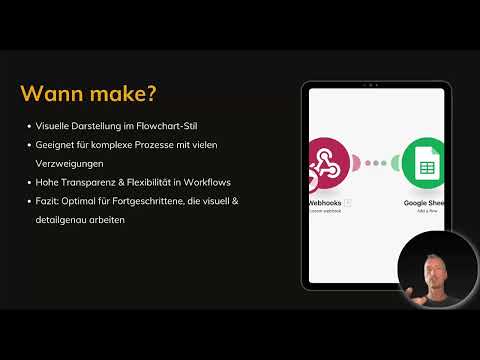
- Make stands out with its visual presentation and is suited to complex processes with many branches.
- Opal is still in the beta phase, so you should keep an eye on its development.
Step 1: Use Opal for a quick start
Opal is the right choice if you want to get started quickly and easily. You don't need any programming knowledge, and the AI support helps you create workflows in minutes instead of hours. If you work a lot with Gmail, Docs, Drive, Calendar, or Sheets, Opal fits seamlessly into your everyday routine. Typical areas of use are content creation, small automations, and quick prototypes. So if you have an idea and want to test it promptly, Opal is a good starting point.

Step 2: Choose Zapier for connecting many services
Zapier has been the classic for years when it comes to integrating different services. Here you can connect hundreds of tools with each other, which is especially interesting if you work with many platforms at the same time and don't rely only on Google. Zapier delivers stable automations that run reliably in the background and is therefore well suited for business operations. Keep in mind, however, that costs can rise quickly as volume grows. So plan in advance how many tasks you need per month before you commit.

Step 3: Use n8n for control and data privacy
n8n is an open-source solution aimed primarily at technically skilled users. Installation is somewhat more involved than with the other tools, but in return you get full control over your workflows. If you want to host tools yourself and work independently of cloud services, n8n is exactly right. Especially with regard to data protection policies and the GDPR, this approach can be a decisive advantage because your data doesn't have to leave your premises. In addition, n8n is suited to complex processes that you want to configure down to the smallest detail. Developers and companies with high demands for customization will find their solution here.

Step 4: Use Make for visual and complex processes
Make, formerly known as Integromat, impresses with its visual presentation. The workflows are displayed as a flowchart so you can follow every step. This is especially helpful if you have processes with many branches or value transparency and flexibility. Make is a great tool for advanced users who think visually and want to work with precision. So if you want to think a process through graphically before implementing it, Make offers you exactly that possibility.

Step 5: Compare the strengths of the tools
A quick comparison helps you keep track. Opal is fast, AI-powered, and ideal for Google users as well as beginners. Zapier is stable and offers many integrations, but it can become costly. n8n is flexible and can be self-hosted, and is therefore suited to professionals. Make is visual, flexible, and strong in complex scenarios. If you're unsure, ask yourself which problem you want to solve right now and how much technical knowledge you bring. The answers to these questions usually lead you quickly to the right solution.

Step 6: Keep an Eye on Opal's Beta Phase
Remember that Opal is still in the beta phase. How the tool will develop and what the integration of additional services will look like is still open. This uncertainty is a good reason to use Opal for experiments and quick ideas, but not necessarily for business-critical processes. However, Google could surprise here and quickly close the gap to established providers. Therefore, keep an eye on the official announcements so you don't miss any new features.
Conclusion for Your Choice
You don't have to commit to one tool forever. Start with Opal if you want to get going quickly and build your first automations. As soon as you need more control, broader integration, or special requirements, you can switch to Zapier, n8n, or Make at any time. With this overview, you will make the right decision for your own projects.
Summary – Google Opal vs. Zapier, n8n & Make: Which Tool Is Right for You?
Google Opal is the ideal entry point for quick, AI-powered automations in the Google world. Zapier scores with the connection of many services, n8n with control and data protection, and Make with visual, complex workflows. Choose the tool that fits your level of knowledge, your budget, and your requirements, and switch whenever needed.
FAQ
Is Google Opal suitable for beginners without programming knowledge?Yes, Opal requires no programming knowledge and supports you with AI, so you can create workflows quickly.
Why should you choose Zapier?Zapier is particularly suitable if you want to connect many different services and need stable automations for your business. However, the costs can rise as volume grows.
Who is n8n the right choice for?n8n is aimed at technically skilled users, developers, and companies that want to host their workflows themselves and retain full control. The installation is more complex than with other tools.
What makes Make special?Make presents workflows visually as a flowchart. This makes it well suited for complex processes with many branches.
Is Google Opal already mature?Opal is still in the beta phase. How the tool develops and which integrations will be added is currently still open.
Can I switch from Opal to another tool later?Yes, you can switch to Zapier, n8n, or Make at any time if you need more control, integration, or special features.

