
You've heard of Google Opal, you open the site, and you immediately run into a block. For many users in Germany and other European countries, this is currently the norm. Opal is still in the beta phase and is only available in the United States. In this guide, you'll learn why the block exists, how to connect to the US with a VPN, and how to sign in to Opal afterwards. The steps build on one another, so you can work through them in order.
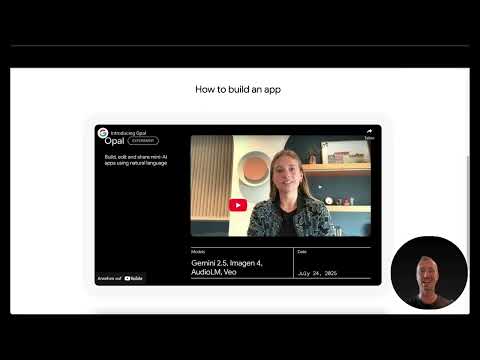
The video is only loaded from YouTube when you play it – data (including your IP address) is then transmitted to YouTube/Google. More in the privacy policy
Key Takeaways
- Opal is currently a beta offering (experiment) and is only available in the US.
- Without a VPN connection to the US, you will get a message when you open it saying that sign-up is not possible from your country.
- A free VPN is sufficient, as long as all of the traffic for Opal runs through a US tunnel.
- A Google account is not strictly necessary, but it makes signing in much easier and faster.
Step-by-Step Guide
Step 1: Properly Understand the Beta Status
Before you sign in, you should know what you are dealing with. Opal is currently still an experiment and runs as a beta version. This means that features may still change, interfaces will be adjusted, and not all areas are fully mature. On the start page, you can already see a small workflow excerpt, for example a blog post writer, as well as entry fields such as "How to build an app". So take a moment to get a sense of this first impression.

Step 2: Understand the Region Block
The most important point up front: from Germany and many other European countries, you currently cannot access Opal directly. The service is restricted to the United States. This is not a technical error on your computer, but a deliberate restriction by the provider. You therefore have to take a small detour by rerouting your internet connection so that Opal perceives you as a user from the US.
Step 3: Choose a Suitable VPN Service
For this detour, you need a VPN (Virtual Private Network). This is a service that forwards your connection through an encrypted tunnel to a server in another country. There are numerous providers, and many of them offer a free version. When choosing, make sure that the provider offers servers in the US. Alternatively, there are websites through which you can set up such a tunnel directly. If you are not yet familiar with how VPNs work, it is worth doing a bit of research beforehand so that you know what is happening in the background.

Step 4: Install and Connect the VPN Software
In the example of this guide, Proton VPN is used. The software is a classic application that you install on your device. It is available for Microsoft Windows, macOS, and also Linux. After installation, you open the program, sign in, and select a server in the United States. As soon as the connection is established, your internet traffic runs through America, and you can browse the web as if you were located there.

Step 5: Open Opal and Understand the Error Message
Only once the tunnel to the US has been established should you open Opal in the browser. If you go to the page without an active VPN connection or without a correctly set country, a message appears saying that you cannot sign in from this country. Many buttons can then no longer be clicked. This notice is therefore a clear signal that your connection is not yet running through the US. In this case, check your VPN settings first before looking any further.
Step 6: Choose Access via "Try Opal"
If the connection is correct, you can start by clicking the "Try Opal" button. Alternatively, you will find the "Sign in" button at the top right. Both paths lead you to the sign-in. In addition, there is a Discord server where information is exchanged and where you can follow what is happening around Google. Google employees are also active there, so you will find good points of contact if you have questions or problems.
Step 7: Sign In with Your Google Account or an Email Address
In the next step, you sign in. You can use your email address or your Google account for this. Enter the address, confirm with "Next," and then enter your password. After that, you are signed in to the Opal area. If you are already signed in, you may be asked to verify yourself again. This is also part of the normal process and is not an error.

Step 8: Check the start view after login
After successfully signing in, you will see the start view of Opal. At the beginning, a notice may appear, for example that Gemini 2.5 is currently integrated. You can simply click this message away. The developers are gradually adding new model versions, so the selection may change over time. Keep in mind that you are using a beta version, and expect that not everything will work smoothly.

Step 9: Keep the VPN connection active throughout the entire use
One point is especially often overlooked during sign-in: The VPN connection must be active not only during login, but permanently. All data traffic that wants to access Opal must run through the USA. If you disconnect the tunnel during use, error messages may occur, and you will no longer be able to continue. Therefore, before each session, check whether your VPN software is connected.
Step 10: Save time with a Google account and support resources
A Google account is not strictly required for signing in, but it noticeably simplifies the process. If you already have an account, signing in is usually much faster than with a newly created email address. If you still run into problems during setup, use the support resources available to you, especially the Discord area mentioned. There you can ask questions and exchange experiences with other users.
Summary – Signing in to Opal: VPN guide for access from Germany
Access to Google Opal works in three core steps. First, you use a VPN to establish a connection to the United States, because the service is currently only available there. Then you open Opal, select "Try Opal" or "Sign in," and sign in with your Google account or your email address. Make sure the VPN connection remains active throughout the entire use, otherwise access will not work reliably. Since Opal is still in the beta phase, you should also expect changes and occasional errors.
FAQ
Why can't I access Opal directly from Germany?Opal is currently only available as a beta offering in the United States, which is why access from other countries is blocked.
Do I absolutely need a Google account to sign in?No, you can also sign in with an email address. However, with a Google account the process is much easier and faster.
Which VPN should I use?You can use any reputable VPN service that provides servers in the USA. The tutorial shows Proton VPN, which is available for Windows, Mac, and Linux.
What happens if I open Opal without a VPN connection?You will receive a message saying that signing in from your country is not possible, and many buttons can no longer be clicked.
Does the VPN have to stay on during use?Yes, all data traffic for Opal should run permanently through the USA, otherwise you cannot continue.
Where can I get help with problems?You can get information and ask questions in the Discord area around Opal. Google employees are also active there.

