
Imagine your inbox doesn't just sort itself, but immediately delivers a finished to-do list. This is exactly where Google Opal comes in. The tool combines AI functions with automations and covers three major areas of application: the automation of recurring tasks, the creation of content, and the optimization of existing workflows. Anyone who understands these three areas quickly recognizes where the biggest time-wasters in their own daily routine lie.
The video is only loaded from YouTube when you play it – data (including your IP address) is then transmitted to YouTube/Google. More in the privacy policy
This guide takes you through all the core areas, shows you practical examples from companies and private life, and finally places Opal in comparison with other automation tools. The detailed operating steps follow in the second module of the course. For now, the focus is on the overall concept.
Key Takeaways
- Opal covers three areas: automation, content creation, and workflow optimization.
- Recurring tasks such as analyzing emails or recording meeting minutes can be fully automated.
- The integration with Gmail, Google Docs, and Google Drive makes Opal particularly interesting for users of the Google ecosystem.
- Through the connection to Gemini, texts, images, and even videos are created directly in the workflow.
- Standard inquiries, for example in customer support, can be answered automatically. This gives employees more freedom for more demanding tasks.
Step-by-Step Guide
Step 1: Understanding Automation as a Starting Point
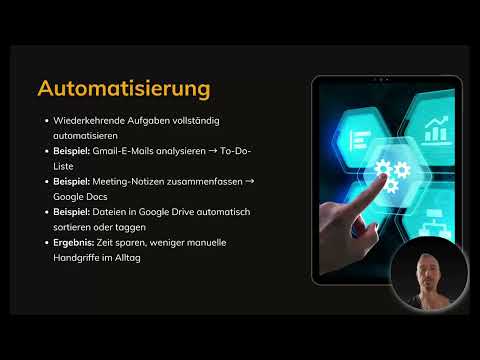
The first area is automation, and for many users it is the most exciting part. The basic idea: you don't optimize individual tasks, but your entire way of working. Opal makes it possible to fully automate recurring tasks so that they run without any action on your part. First think about which activities you repeat in a similar form every week. That is exactly where the greatest potential lies.

Step 2: Automatically Converting Emails into To-Do Lists
A classic example is the inbox. Opal can analyze emails from Gmail, extract the relevant information, and create a to-do list with all the tasks you need to complete. When information arrives by email, you no longer have to filter it out and transfer it yourself. This approach is especially worthwhile in companies when tasks are delegated. The workflow reads the content and creates a separate entry for each delegated task.
Step 3: Applying the Workflow to Everyday Life
The same principle also works privately. Imagine your phone provider announces a price increase. The workflow recognizes the email, creates a task from it, and can then support you in searching for alternatives and comparing them. In the end, you make the decision yourself, but the automation takes over the tedious research.
Step 4: Summarizing Meeting Notes into Minutes
Many minutes are created from keywords noted during a meeting. Opal can step in here as well. The notes are summarized, prepared into structured minutes, and saved directly in Google Docs. The process is stored as an automation workflow so that you can reuse it for every appointment. This saves time and prevents results from getting lost afterwards.
Step 5: Creating Order in Google Drive
Over time, numerous documents accumulate. Opal can automatically sort data in Google Drive or describe it with the help of text tagging. If you have many minutes, this creates a structure that significantly speeds up finding things again. With large amounts of data, searching via tags is usually faster than manually clicking through folders.
Step 6: Understanding Content Creation as the Second Core Area
The second area concerns the creation of content. Many AI tools require you to describe in detail every time what you need: the topic, the structure, the introductory text, the conclusion, and the search engine optimization. Opal addresses exactly this point. The tool is designed to create creative content with AI support without you having to specify every step manually. Think in terms of workflows that you set up once and can then use again and again.

Step 7: Creating Social Media Posts, Blog Articles, and Newsletters
For social media, blogs, and newsletters, Opal can deliver complete texts. A newsletter can even be created completely and sent automatically. Nevertheless, a brief quality check before publication is recommended, especially in the initial phase. Particularly with social media posts, the approach saves a lot of time, because idea generation, wording, and publication no longer have to be done manually. In the end, you only check the result.
Step 8: Generating Product Descriptions and Marketing Ideas
For online shops, complete product descriptions can be created and, if needed, imported automatically. In addition, you can have idea lists, headlines, and entire marketing campaigns developed. This allows you to achieve results faster that would otherwise require lengthy brainstorming sessions.
Step 9: Integrating Gemini and Combining Text, Images, and Videos
The strongest argument in the content area is the connection to Google Gemini. Through this integration, text, images, and even videos flow into your workflow. You therefore don't have to switch between different tools, but instead produce multiple media formats in one continuous process.
Step 10: Workflow Optimization – Bundling Existing Processes
The third area starts with what you are already doing anyway. You connect several individual steps into one continuous workflow. An example: information from different sources is merged, analyzed via Gemini, and then displayed in a dashboard. This turns many protocols into a complete overview without you having to compile them manually. The advantages are speed, transparency, and lower susceptibility to errors.

Step 11: Analyzing Surveys and Answering Customer Inquiries
Feedback from internal surveys can also be analyzed automatically, prepared, and even presented visually. With customer inquiries, automation goes even further. Gemini analyzes all messages sent to a central support address and answers them directly. Instead of the promise to respond within 24 hours, customers immediately receive concrete steps to take. This increases satisfaction and noticeably relieves the team.
Step 12: Making Processes Faster, More Transparent, and Less Error-Prone
A well-structured workflow operates faster, more traceably, and with fewer errors than manual processes. Once the automation is set up, the error tolerance is close to zero compared to human work. What matters here is the attitude behind it: automation should not replace employees but free them from routine tasks. If support requests can be reduced by about 50 percent, for example, employees gain time for more responsible and varied tasks without having to work more.
Step 13: Placing Opal in Comparison to Other Automation Tools
In the end, it is worth looking at alternatives. Well-known tools are n8n, Make, or Zapier, and there are also smaller providers with many applications. Opal stands out mainly through its close integration with the Google ecosystem, which includes Gmail, Docs, Drive, and Gemini. For teams that already use Google Workspace, this is a significant advantage. The cost aspect also speaks in favor of Google applications, as Google Workspace is considered cheaper than Outlook. The course shows the practical implementation step by step in the second module.
Summary – Google Opal: Automation, Content Creation, and Workflows at a Glance
Google Opal combines three areas of application that are closely connected in everyday work. In the area of automation, you hand over recurring tasks to the tool, such as analyzing emails, creating protocols, or organizing files in Google Drive. In content creation, social media posts, blog texts, newsletters, and product descriptions are produced, which can be supplemented with images and videos via Gemini. Workflow optimization bundles existing processes, analyzes surveys, and answers customer inquiries. Those who combine these areas gain time, work more transparently, and create room for more important tasks.
FAQ
What is Google Opal?Google Opal is a tool with which you can build AI-powered automations, content, and workflows. It offers integrations with Google applications such as Gmail, Docs, Drive, and Gemini.
What three areas of application does Google Opal have?The three core areas are the automation of recurring tasks, content creation with AI, and the optimization of existing workflows.
Can Google Opal process emails automatically?Yes, Opal can analyze emails from Gmail, extract relevant information, and create to-do lists from it.
Is Google Opal also suitable for private purposes?Yes, the principle works just as well privately. One example is analyzing an email from the phone provider followed by a search for alternatives.
Can Google Opal create newsletters completely?Yes, newsletters can be created completely and even sent automatically. A brief quality check before sending is nevertheless recommended.
What role does Gemini play in Google Opal?Through the connection to Gemini, text, images, and videos can be built into the workflow, and information from multiple sources can be analyzed.
How does Google Opal differ from alternatives like Make or n8n?Opal scores primarily through its close integration into the Google ecosystem. For users of Google Workspace, this is a clear advantage.
Are employees replaced by automation?According to the course's assessment, no. Automation is meant to reduce routine work so that employees can take on more demanding and responsible activities.

