
Imagine you want to build a small workflow in just a few minutes, without struggling through nodes, interfaces, and credentials. This is exactly where Google Opal comes in. But how does the tool compare to established automation platforms like n8n, Zapier, and Make? In this guide, you will be walked step by step through the most important differences in getting started, learning curve, costs, AI integration, and limitations. By the end, you will know for which projects you should reach for Opal and when you are better off sticking with the established tools.
The video is only loaded from YouTube when you play it – data (including your IP address) is then transmitted to YouTube/Google. More in the privacy policy
Key Takeaways
- Opal is significantly more accessible for beginners and non-technical users because you describe workflows in natural language.
- n8n, Zapier, and Make offer more depth and control, but require time to learn and technical understanding.
- With Opal, the manual setup of credentials and external API keys is eliminated, since the AI models come from Google.
- Opal is in beta status at Google Labs and is currently free, but only available to a limited extent.
- For complex, production-ready business processes with many external integrations, established tools are currently still the better choice.
Step 1: Getting Started and the Learning Curve
Let's start with getting started, because this is where the biggest differences show. n8n, Zapier, and Make rely on classic no-code interfaces with many nodes, connections, and settings. You have to get familiar with them before you finish your first meaningful workflow. That's not necessarily difficult, but it takes time. Once you have understood the system, you make progress very quickly, but for beginners the start often feels overwhelming.
Opal takes a different approach here. You describe what you want to achieve, and a visual workflow is created automatically. This makes getting started faster and the learning effort minimal.

Step 2: The Complexity of Triggers and Actions
With the established tools, you assemble the flow from individual modules. You define triggers that start a workflow and add actions that perform specific tasks. In addition, you can integrate external language models. This offers enormous flexibility, but requires a solid technical understanding of the relationships between the building blocks.
Especially for less technically savvy users, this structure is a real hurdle. Anyone who is unsure here quickly loses track of the workflow's logic.
Step 3: Credentials and API Keys
One point you should not underestimate with n8n, Zapier, and Make is credentials. If you integrate ChatGPT into a workflow, for example, you first have to obtain an API key and store it correctly. Instructions for this are usually available, yet this step is error-prone and technically demanding for many users.
This is where Opal's advantage is clear: since you operate exclusively within the Google environment, you don't need any external credentials. All the AI models offered come from Google, and no external language models need to be set up.
Step 4: Control via Natural Language
Opal's real unique selling point is operation through simple, natural language. You phrase your task the way you would explain it to a colleague, and Opal translates it into a visual flow. So you don't have to know in advance which modules exist or how they fit together.
This is precisely what makes Opal attractive for beginners and business departments. You can try out your idea directly, adjust it, and develop it further without having to plan a learning phase first.
Step 5: Speed and Efficiency in a Practical Comparison
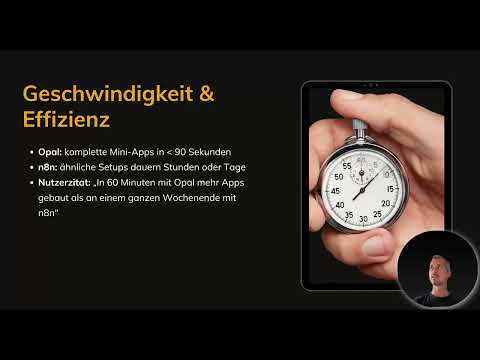
According to user reports, small applications can be created with Opal in about 90 seconds. Similar setups in n8n, by contrast, can take hours or even days, especially if you first have to get familiar with the interface. Even though the cloud versions of n8n can be used more quickly, registration, login, and the actual setup of triggers and actions are considerably more laborious.
So if you need a prototype or a simple test flow quickly, Opal is currently the faster tool. For long-term, extensive processes, however, this lead becomes less significant.

Step 6: The Cost Structure at a Glance
With intensive use, n8n and Make require paid subscriptions, which, depending on scope, can quickly cost a few euros per month. Make is still considered relatively inexpensive by comparison. If you install n8n on your own server, there are no license costs, since it is open-source software. However, you have to handle the installation yourself, and additional costs for external API usage still apply.
Zapier is also paid from the start, but is easy to use. Opal is currently completely free, although only in beta status and, according to the video, available in the USA or via a VPN. For beginners and projects with a small budget, this is particularly attractive at the moment.

Step 7: AI Integration and User-Friendliness
Opal integrates AI models such as Gemini directly into the workflow. With them, you can generate texts, perform analyses, create images, or produce audio content. Since all models come from Google, the integration works smoothly and without additional configuration.
Other tools usually only offer classic trigger-action automations. You have to integrate artificial intelligence yourself there. This has the advantage that you can freely decide which model you want to use, but it requires technical understanding. With its concept, Opal clearly targets non-technical users who want to implement complete workflows without programming knowledge.

Step 8: Limits, Beta Status, and Enterprise Use
Opal is an experiment in Google Labs and is still in beta status. This means that the features are still in development and the number of available integrations is significantly lower than with n8n, Zapier, or Make. For complex, extremely reliable enterprise automations with critical system requirements, many teams therefore continue to rely on established platforms that can look back on years of experience.
A user on Reddit aptly summed up the impact of Opal: Google is shaking up a market with simple language and free use, in which complex workflows, monthly fees, and many hours of learning have been the standard so far. It is therefore foreseeable that the other providers will have to follow suit. However, whether Opal meets all requirements is something you will only notice in actual use.

Step 9: Your Decision Path Between Opal and Established Tools
Now you have a clear overview of the strengths and weaknesses of both approaches. Choose Opal if you want to implement quick prototypes, creative projects, or simple automations and have no technical background. The free use and voice control make getting started especially easy.
On the other hand, go for n8n, Zapier, or Make if you need stable, complex workflows with many external integrations or want to build production-ready processes in a company. The learning curve is then worthwhile because you retain full control over every step.

Summary – Google Opal vs. n8n and Zapier: The Honest Comparison
Google Opal impresses with maximum simplification, high speed, seamless AI integration, and free use in beta status. Anyone who wants to create workflows quickly and without technical prior knowledge will find an ideal starting point here. n8n, Zapier, and Make, on the other hand, score with stability, depth, extensive integrations, and suitability for productive business processes. The choice therefore depends primarily on your prior knowledge, your budget, and the intended use. Opal is also continuing to evolve, and it is worth keeping an eye on its development.
FAQ
Is Google Opal currently free to use?Yes, according to the video, Opal is currently free in beta status, although only available in the USA or via a VPN.
Do I need API keys for Google Opal?No, since Opal exclusively uses Google's own AI models, you don't have to store any external credentials.
Is n8n free?n8n is open source and free if you install it on your own server. Additional costs for external API usage still apply.
Who is Google Opal particularly suitable for?Opal is particularly suitable for beginners, non-technical users, and quick prototypes or creative projects.
When are n8n, Zapier, or Make the better choice?The established tools are the better choice for complex, stable workflows with many external integrations and for productive business processes.

