

Imagine your team sends out dozens of invoices every day, answers the same inquiries, and sorts emails by hand. Some of these tasks can be handled with fixed rules, while others require judgment. This is exactly the point where you decide which type of automation to use. In this guide, you will learn the difference between rigid, rule-based processes and flexible AI-powered workflows, and how to combine both effectively.
The video is only loaded from YouTube when you play it – data (including your IP address) is then transmitted to YouTube/Google. More in the privacy policy
Key Takeaways
- Classic automations follow fixed if-then rules. They are reliable, but not flexible.
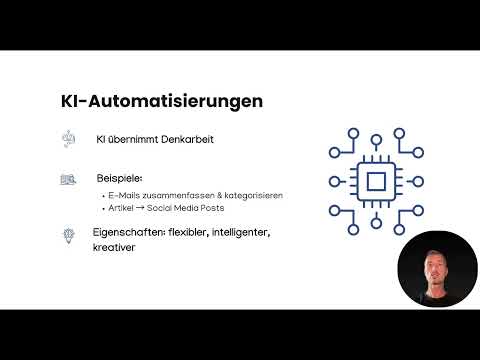
- AI automations take over parts of the thinking work. They analyze data, categorize content, and create suggestions.
- A checklist is suited for recurring, clearly defined steps. An assistant is suited for tasks with context and room for interpretation.
- The strongest solution emerges when you automate standard tasks with rules and use AI specifically for the areas where decisions are needed.
Step 1: Understand the Logic of Classic Automation
Classic automations work according to clear rules. You define that a specific event is followed by a specific action: If A happens, then do B. This principle is simple but effective. You don't have to decide every time what happens next, because the rule does that for you.
Think of the rule as a checklist that a program works through point by point. Before you build such an automation, you should therefore think through the process completely and document every step.

Step 2: Recognize Typical Examples and Their Limits
A classic example: A prospect fills out a form on your website, and a confirmation email is automatically sent. Another example: An invoice is created in your online shop, which is then saved in Google Drive, while your team is notified via Slack or WhatsApp. Both processes run reliably because they are clearly defined.
However, pay attention to the downside. The rule only knows the case it was written for. If something unexpected happens, such as a message that doesn't fit your pattern, the automation either doesn't react at all or reacts incorrectly. This is exactly where flexibility is completely lacking.
Step 3: Use AI Automation as a Thinking Assistant
AI automations go one step further. Here, it's not just a fixed rule being worked through, but an artificial intelligence takes over part of the thinking work. It can analyze data, prepare decisions, or even create content directly.
You can imagine this variant as an assistant that thinks along, makes its own suggestions, and can handle unclear situations. The task remains the same, but the path to get there can adapt to the context.

Step 4: Have Content Analyzed and Categorized
A typical use case clearly shows the difference. Instead of simply forwarding an incoming email, an AI can summarize the content, sort it into categories, and show you only the most important points. A classic rule could react to keywords, but it doesn't understand what the message is actually about.
Especially with large volumes of messages, customer inquiries, or documents, this form of analysis saves you a lot of time, because you only see what actually needs your attention.
Step 5: Output Content in Multiple Formats
Another strength of AI shows when you need different results from a single source. From one article, the AI can automatically create social media posts, for example for Instagram, TikTok, and LinkedIn. You can specify directly who should be addressed.
The result sounds different for each platform because the AI takes the target audience and tone into account. A classic automation could only copy the text. It could not, however, adapt it to the respective audience.
Step 6: Consciously Choose Between Checklist or Assistant
For your own projects, a simple thought helps: If you can work through a task in a fixed order without ever having to decide anything, a classic automation is the right choice. As soon as context, interpretation, or creativity come into play, using AI is worthwhile.
So ask yourself for every process: Is there always the same answer to the same input? Then a checklist is enough. Does it require assessment, suggestions, or wording? Then you use an assistant.

Step 7: Combine both approaches
The real strength emerges when you connect both worlds. You automate standard tasks reliably with fixed rules, while you use the intelligence of AI in the places where processes should become more flexible and smarter. This way, the rules handle the routine, and the AI takes care of the thinking.
A practical workflow could look like this: A request comes in via the form, an AI categorizes it by topic, and then a fixed rule kicks in that files the case with the right team and notifies them.

Summary – Classic vs. AI Automation: Checklists vs. Thinking Assistants
Classic automations are like a checklist. They work through tasks step by step, are reliable, and are ideal for clearly defined processes. AI automations act like an assistant that thinks along, analyzes, and makes creative suggestions. Combining both approaches brings the greatest benefits, because routine tasks run stably while leaving room for intelligent decisions. In the next step, you will get to know the right tools with which you can implement these workflows.
FAQ
What is the main difference between classic and AI automation?Classic automations follow fixed if-then rules, while AI automations can analyze data, prepare decisions, and create content flexibly.
When should I rely on classic automation?Whenever a process is clearly defined and the same input should always result in the same action, such as when saving invoices or sending a confirmation email.
What is AI automation particularly well suited for?It is suited for tasks involving context, such as summarizing messages, sorting them into categories, or creating texts for different target groups.
Can an AI automatically create social media posts from an article?Yes, an AI can create posts for different platforms such as Instagram, TikTok, or LinkedIn from an article, taking tone and target audience into account.
Are the two approaches mutually exclusive?No, the strongest solution combines both. Standard tasks run via fixed rules, while the AI is used where decisions or creativity are required.

