
Imagine you are programming an application that connects to a MySQL database. For that, you need information such as the server name, the database name, a user, and a password. These very details can be stored as properties in a class. In this tutorial, you will learn how to define properties in PHP, which visibilities exist, how to set values, and how to access them inside the class using $this.
The video is only loaded from YouTube when you play it – data (including your IP address) is then transmitted to YouTube/Google. More in the privacy policy
Key Takeaways
Properties describe an object in more detail, similar to how adjectives define a noun more precisely. They can be initialized directly with a value, declared without a value, or created as an array. The visibility, such as public, determines whether you may access a property from the outside. Inside the class, $this refers to the current object.
Step 1: Understanding the Basic Idea of Properties
The starting point is the idea that classes and objects have certain characteristics. A class that represents a database can store not only the type of the database but also concrete information about the respective connection. These characteristics are the properties, which you will now get to know step by step.

Step 2: Creating Concrete Properties for a Database Connection
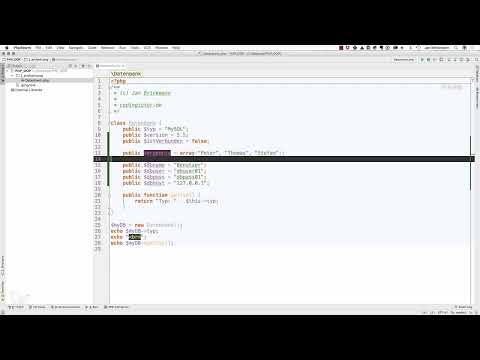
Instead of just naming a general database type, you now define a concrete database. This includes a database name, a username, a password, and a hostname. The hostname specifies on which server the MySQL service is running. To start with, you can use the local host 127.0.0.1. Each of these details is declared as its own property in the class so that it can be conveniently retrieved later.

Step 3: Defining Visibility with public
Before each property there is a keyword that determines who may access it. With public, the property is available from the outside. This also affects the autocompletion of your editor, which only suggests the properties if they are public. The term is closely related to data encapsulation, which you will explore in more depth in later lessons. Keep in mind that visibility is a deliberate decision.

Step 4: Understanding the Meaning of $this
Inside a class, you need a way to access its own properties. This is where $this comes into play. The keyword refers to the current object. So it is a reference to the instance you are currently working with. The exact usage will be shown in more detail later, but you should internalize the basic principle now.

Step 5: Initializing Properties Directly with a Value
A property can already receive a fixed value at declaration. So you write an equals sign and the desired value directly after the name. With numbers, you need to note that PHP uses the American decimal point, so you write 5.5 for example and not a comma. Booleans are also possible. A property such as "is connected" can be preset by default with false, since the connection does not yet exist at the beginning.
Step 6: Using Arrays as Properties
Properties do not have to store only single values. You can also store an array that contains multiple entries. An example would be a property for retrieved results, in which several usernames such as Peter, Thomas, or Stefan are stored. Such an array can contain any number of entries. This approach is completely common and helps you keep related data together.

Step 7: Declaring Properties Without a Value
Sometimes when creating the class you do not yet know what value a property should have. Then you can simply declare it without assigning a value to it. One example is a public property for an SQL statement that is only set later. You thereby announce that this property exists, and fill it at a suitable time. This ensures clarity, because all required properties are in one place.

Step 8: Accessing the Properties of an Object
Once you have created an instance of the class, you access its properties using the object operator. If you write the name of the instance, followed by an arrow and the name of the property, you get access to the respective value. Thanks to autocompletion, you can immediately see which properties are available. At the same time, it becomes clear that only public properties are accessible from the outside, as long as you are still outside the class declaration.

Step 9: Outputting Properties in the Browser
Finally, you can have the values output directly. To do this, you add lines to the code that display, for example, the database version or the database user. If you reload the page in the browser, the stored value appears, such as DB_User_01. This way you can see right away that the properties are correctly defined and retrieved. Just like with the basics from the introductory videos, you thereby determine which information your object holds.

Summary – Understanding and Using PHP Class Properties
Properties make a class more concrete by storing characteristics such as database name, user, password, or host. You can initialize them with a value, declare them without a value, or create them as an array. The visibility public controls access from the outside, while $this refers to the current object within the class. You then use the object operator to access the properties of an instance.
FAQ
What is a property in a PHP class?A property is a variable within a class that stores characteristics of the object, for example a database name.
What does the keyword public mean for a property?It means that the property is accessible from outside the class and appears in autocompletion.
What is $this used for in a class?With $this, you access the properties of the current object within the class, since it is a reference to the instance.
Can a property contain an array?Yes, a property can store an array with multiple entries, such as a list of usernames.
Does every property have to be given a value when declared?No, you can also just declare a property and set the value later.
How do I access a property of an object?You write the name of the instance, followed by the object operator arrow and the name of the property.
Why do I write decimal numbers in PHP with a period?PHP uses the American number format, in which the period serves as the decimal separator, for example 5.5.


