
Before you write the first line of code, it is worth taking a look at the entire learning path. That is exactly what the video "Python-Programmierung für Einsteiger – 01 Kurseinführung" is about. In just under five minutes, the instructor guides you through all the chapters, shows how the topics build on each other, and gives you a clear recommendation for getting started.
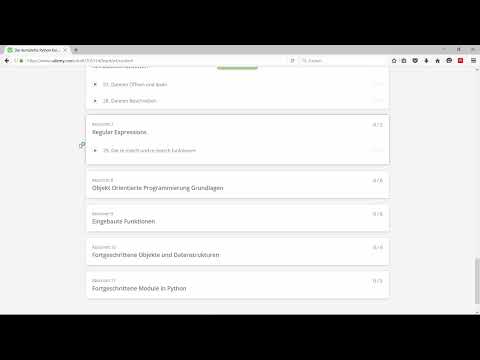
The video is only loaded from YouTube when you play it – data (including your IP address) is then transmitted to YouTube/Google. More in the privacy policy
A course with many chapters can quickly seem intimidating, especially if you have never programmed before. However, the structure is logical. Each chapter builds on the previous one, so it is best not to skip anything. This guide summarizes the content step by step so that you always know where you stand and what comes next.
Key Takeaways
- The course begins with an overview, followed by installation and the development environment.
- Data structures, statements, loops, functions, and modules form the foundation.
- Quizzes, user inputs, and two projects consolidate your knowledge.
- Files, regular expressions, and object-oriented programming expand your skills.
- At the end, advanced topics such as lambda, DateTime, and namedtuple as well as a GUI chapter await.
Step-by-Step Guide
Step 1: Understanding the Course Overview
The first section serves as orientation. Here you get an overview of all the content, and the video begins with exactly this overview. Take a moment to calmly grasp the structure. It will serve as a guide for you again and again later on.

Step 2: Installing Python
In the second section, you set up your working environment. You install Python and make all the settings necessary so that you can actually program with Python. Make sure to complete the installation fully before continuing, because mistakes at this point often lead to confusion later.

Step 3: Getting to Know Development Environments
Alongside the installation, the instructor discusses development environments. There are several of them, and he shows you a few. As a beginner, you do not have to decide immediately on the "best" environment. Try one first and switch later once you know which features you are missing.

Step 4: Mastering Data Structures
Data structures are among the most important fundamentals of any programming language. The course covers numbers, strings, lists, sets, tuples, and dictionaries. Each of these structures is explained using examples. Work through these examples yourself instead of just watching them, because that is the only way the knowledge sticks.

Step 5: Applying Statements and Conditions
With statements, you control under which conditions your code is executed. A program can, for example, start an action only when a certain condition is met. You will encounter this principle in almost every later project.

Step 6: Using Loops
Loops allow you to execute code multiple times. The instructor shows the different types of loops with which you can automate recurring tasks. Loops save you a lot of typing and are an important step toward clean code.
Step 7: Understanding Functions and Modules
Functions combine code into reusable blocks. You first learn the basic form and then functions with parameters, which expect certain inputs and produce a result from them. Modules extend your program with additional tools.

Step 8: Completing Quizzes to Check Your Knowledge
Between the videos there are quizzes in which you test what you have just learned. Use them deliberately as a self-test. If you cannot answer a question, watch the relevant section again before moving on.

Step 9: Processing User Input
Here you learn how a program asks the user for input. The example used is calculating the greatest common divisor of two numbers. The user enters the values, and the program calculates the result. This combination of input and processing is a basic building block of interactive programs.
Step 10: Implementing the Blackjack Project
The first larger project is a blackjack game. The instructor presents it as a challenge: you are supposed to implement it yourself using your knowledge so far. Really try to do this on your own, even if it gets stuck at first. Only once you have gotten stuck is it worth looking at the sample solution that follows.

Step 11: Working with Files
In the next section, you open files, read them, and write content into them. This is important because programs need to store data beyond individual program runs.

Step 12: Using Regular Expressions
Regular expressions help you search text for fixed patterns. The instructor explains what they are used for and why they offer an enormous advantage in text processing. Especially with large amounts of text, you save a lot of time with them.

Step 13: Learning Object-Oriented Programming
In the chapter on object-oriented programming, you learn the basics. You create classes from which you in turn generate objects, and you work with important methods. Inheritance deserves special attention, as it shapes many concepts of modern software.

Step 14: Deepening Built-in Functions
After that, you take a second look at Python's built-in tools such as the lambda operator, filter, or zip. These tools shorten code significantly once you master them confidently.
Step 15: Reviewing Advanced Data Structures
Now you pick up the data structures from the beginning again, this time in detail. This review step makes sense because the deeper dive will seem much clearer to you after the detour through objects and functions.

Step 16: Getting to Know Advanced Modules
To conclude the core material, further modules follow, such as namedtuple or DateTime. With DateTime, you work with date and time, which is needed in many real-world applications.

Step 17: Outlook on Practice Exercises and the GUI Chapter
The course is continuously being expanded. More practice exercises are being added, and a chapter on graphical user interfaces is also in the works. So check back occasionally if you feel like additional exercises.
Step 18: Starting the Course the Right Way
The instructor recommends starting right at the beginning with the course overview and watching the videos in the given order. Stick to this, because the content builds on itself consistently.

Summary – Python Course for Beginners: The Learning Path at a Glance
The introductory video shows you the complete path through the Python course. You begin with installation and the development environment, then learn about data structures, conditions, loops, and functions, and reinforce what you have learned with quizzes and projects. File processing, regular expressions, object-oriented programming, as well as advanced tools and modules follow. If you work through the videos in order, you lay the necessary foundation for every further topic.
FAQ
Do I need prior programming knowledge for the course?No, the course is aimed at beginners. The content builds on itself step by step, so you can start from zero.
Why should I watch the videos in the given order?The chapters build on one another. If you skip functions, for example, you quickly lose track in the modules.
What is the blackjack project?It is a small game project that you are supposed to implement yourself using your knowledge so far. You can only look at the sample solution once you are finished or if you get stuck.
Will more content be added to the course?Yes, additional practice exercises are planned, as well as a separate chapter on graphical user interfaces (GUI).

