
Perhaps you have already written a function that you need in several programs and copied the code by hand every time. That is exactly what modules are for. You have already learned how to include ready-made modules such as math with import. In this guide, you will create your own module, import it, and call its functions. You will also learn which pitfalls are typical and how to solve them.
The video is only loaded from YouTube when you play it – data (including your IP address) is then transmitted to YouTube/Google. More in the privacy policy
Key Takeaways
- A module is a single Python file with the extension
.py. A package is a collection of several modules. - You can import any Python file as a module, provided Python can find it.
- You call functions from your module with
modulname.funktionsname(). - Changes to a module only take effect after restarting the Python session.
Step-by-Step Guide
Step 1: The Difference Between a Module and a Package
Before you get started, you should clarify the terminology. A module is a single file containing Python code, such as functions or variables. A package is a collection of such modules. The module you create yourself is therefore initially just a single .py file.

Step 2: The Real-World Example
You already know the math module. With import math, you can use functions such as math.sin(x). The sine function is nothing more than a function that already exists in the math module. You can recreate exactly this principle yourself.
Step 3: Creating the File for Your Own Module
Open the folder in which you work with Python, for example the Anaconda folder. Create a new text file there. You will save it later with the extension .py so that Python recognizes it as a program file. In the video, the instructor uses an existing file for this, but you can also create a new one.

Step 4: Writing Your Own Function
Now write a function that takes a text and outputs it. You begin the function with def and use print to output the text:
The function thus expects a text as a parameter and outputs it directly. Make sure that function names in Python must not contain spaces. That is why you write meine_funktion with an underscore, even if you hear "meine Funktion" in the video.
Step 5: Saving the File as a Module
Save the file via "Save As" in the Anaconda folder. mein_modul.py is a suitable file name. The file name later determines the name with which you import the module. Therefore, use a name without spaces and without special characters.

Step 6: Starting Python in the Anaconda Prompt
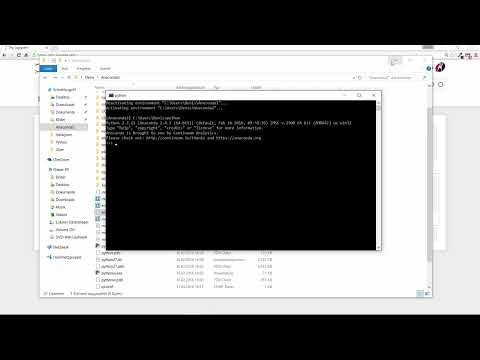
Open the Anaconda Prompt. There, enter the command python to start the interactive Python environment. You can try out commands directly in it, just like with your first programs.

Step 7: Importing the Module and Calling the Function
Now enter import mein_modul. Then you call the function with mein_modul.meine_funktion("hallo"). Note that the text must be enclosed in quotation marks. In the video, the instructor initially forgets these quotation marks and therefore gets an error message. After the correction, Python outputs the word "hallo".

Step 8: Testing Different Texts
You can pass any text to the function. For example, try mein_modul.meine_funktion("wie geht es dir"). Python outputs exactly the text you passed. This shows you that the function in the imported module actually works the way you wrote it.
Step 9: Check whether the correct module was loaded
To make sure you are actually using your own module, look in the folder. There you will see the file mein_modul.py. Since Python searches for exactly this file during import, you know that your function comes from this file.

Step 10: Add another function
Open the file mein_modul.py again and add a second function, for example:
The function has no parameter and always outputs the same text. Then save the file.

Step 11: Understand and fix the "has no attribute" error
If you now call the new function in the same Python session, the message module 'mein_modul' has no attribute 'weitere_funktion' appears. The reason is that Python loaded the module at the first import and keeps the old version in memory. The solution is simple: end the Python session with exit() and restart it in the Anaconda Prompt.
Step 12: Call the new function
After restarting, import the module again with import mein_modul. Then call mein_modul.weitere_funktion(). Now Python outputs the text from the new function.

Step 13: Use quotation marks correctly
In the video, the instructor avoids the apostrophe in the text because it would otherwise cause an error. This happens when you put the text in single quotation marks and use an apostrophe inside it. In this case, use double quotation marks, for example "Ich bin Dennis' Funktion". This keeps the code error-free and the text correct.
Step 14: Conclusion and outlook
You have now seen that you can bundle your own functions in a file and reuse them at any time later. A custom module is therefore no magic, but simply a file containing functions. The next video covers how to open and read files in Python.

Summary – Creating Your Own Modules in Python: Step-by-Step Guide for Beginners
A custom module is created by saving functions in a .py file. You import this file with import and call the functions via the module name. Make sure to use correct function names without spaces, put quotation marks around texts, and restart the Python session after making changes. With these basics, you can organize your code in a structured way and effortlessly reuse it in other projects.
FAQ
What is the difference between a module and a package?A module is a single Python file with the extension .py. A package is a collection of several modules.
Does my module have to be in the same folder where I start Python?The easiest way is to have the file in the same folder. Then Python finds it during import without any problems.
Why do I get the message "has no attribute" even though the function is in the file?Python loaded the module at the first import in the running session. End the session with exit() and restart it, and then the current version will be loaded.
Why doesn't my command with the text work?Texts in Python must be enclosed in quotation marks. If they are missing, an error message appears.
Can I store multiple functions in one module?Yes, you can put as many functions as you like in one file and call all of them after the import.


