
Blackjack is one of the best-known card games in the world, and that is exactly why it works so well as a practice project. You may already know the rules from the casino or from online platforms. In this project, you implement the game yourself in Python. You will use functions, conditions, loops, and random numbers, which are exactly the tools you have learned so far.
The video is only loaded from YouTube when you play it – data (including your IP address) is then transmitted to YouTube/Google. More in the privacy policy
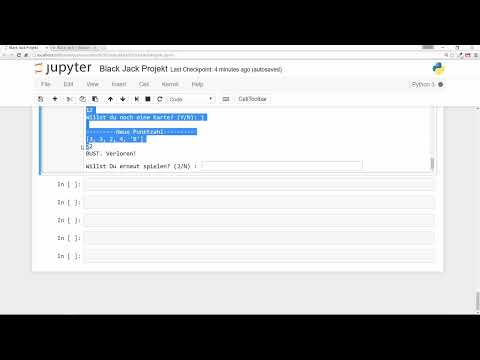
The video first takes you through a short live demonstration and then explains which building blocks you need for your implementation. The instructor deliberately does not show the finished code. You are supposed to develop the solution yourself and gain experience step by step. The exercise can easily take a few hours, and that is completely normal.
Key Takeaways
The simplified Blackjack version uses only one set of cards. The cards 2 to 10 count at their face value, jack, queen, and king are each worth 10 points, and the ace is worth either 1 or 11 points. Your goal is to get closer to 21 points than the computer as the dealer, without going over 21 yourself. For the implementation, you need functions with and without a return statement as well as the random generator from the random module.
Step-by-Step Guide
Step 1: Understanding the Game Idea
Before you write code, you should know what makes the game what it is. The instructor recommends looking at the rules on Wikipedia. The original version is then deliberately simplified for this project. In real Blackjack, you can split your cards, but in your version this is not possible. In addition, only a single set of cards is used. Your program therefore only has to reproduce the basic rules: you play against the dealer, and your goal is to beat their score.
Watch the live demonstration closely. Pay attention to how the program asks questions, how it displays points, and when a round ends. These observations will later serve as your template for the program logic.

Step 2: Defining the Card Values
The next step concerns the values of the cards. The cards 2 to 10 count at their face value. Jack, queen, and king are each worth 10 points. The ace is somewhat special, because it can be counted as 1 or as 11. Think about how you will represent these values in the program. A clear way is to store the cards in a list or a dictionary and assign each card its point value.

Step 3: The Goal of 21 Points and Going Over
Blackjack revolves around the number 21. Whoever goes over 21 points immediately loses the round. You can decide at any time not to take another card, for example at 20 points. Your program must therefore check after every card drawn whether the player is still in the game, and ask the player whether they want another card. The program has to evaluate the answer "yes" or "no" cleanly. Also think about inputs that are neither yes nor no.
Step 4: Replicating the Dealer's Procedure
After you have stopped as the player, it is the computer's turn. In the video, the dealer draws cards until they have reached a certain score, and then stops. In the example, the computer first had a 6 and a king and stopped at 16 points. Your program must therefore contain a loop or a condition that lets the dealer keep drawing cards as long as they are below their limit. At the end, both scores are compared, and the winner is determined.
Step 5: Valuing the Ace Correctly
In practice, the ace often causes confusion. In the video, the player first gets an ace and is initially shown with 15 points, because the ace was counted as 1. Your program should therefore check whether an ace would put the player over 21. If that is the case, it counts as 1. Otherwise, it counts as 11. You can encapsulate this decision in a separate function so that your main program stays clear.
Step 6: Dividing Functions Sensibly
A good Blackjack program consists of several small functions. The instructor reminds you that there are functions with a return statement, which return a value, and those without a return statement, which perform an action. Think about which tasks belong in which function. For example, one function could draw a random card and return its value, while another function only outputs the current score. This keeps your code readable and makes it easier to extend.
Step 7: Building in randomness
To make every round play out differently, you need randomness. For this you use the random module, which you have to import at the beginning of your program. With its functions, you can draw cards at random from your card set. Make sure that every card has the same probability of being drawn, because only then does the game correspond to real gambling.
Step 8: Research when you run into problems
It is completely normal to get stuck somewhere. The instructor explicitly advises you to make an effort on your own first. Research on the internet, look for examples of functions, random numbers, or loops, and try out different approaches. Only when you really can't get any further should you look at the solution in the next video. Even a quick look at the Python documentation can often provide the decisive idea.
Step 9: Completing and testing the project
When your program runs, test it thoroughly. Play several rounds and deliberately check special cases: What happens with exactly 21 points? How does the program behave if the player goes over 21? Is the ace scored correctly? Only when all cases are correct is your implementation complete. After that, you can watch the next video and compare how the instructor solved the problem.
Summary – Programming Blackjack in Python
With this exercise, you learn to recreate a well-known card game in Python. You define card values, check the 21-point limit, have the dealer draw according to fixed rules, and treat the ace as a special case. Functions help you structure the code, and the random module ensures varied rounds. Take your time, research problems independently, and test your program extensively. This turns a practice exercise into a solid project that you can build on further.
FAQ
How many cards are there in the game?The simplified version uses a single card set with the values 2 to 10, jack, queen, king, and ace.
How many points does the ace get?The ace counts as either 1 or 11 points. Which value applies depends on whether the player would go over 21 as a result.
What happens if I have more than 21 points?Then I lose the round immediately.
Do I need the random module for the project?Yes, you need it to draw cards at random. To do this, you have to import random at the beginning of your program.
May I search the internet for solutions?Yes, the instructor even recommends researching first. But try to implement the solution yourself as much as possible, because that is exactly what moves you forward.
How long does this exercise take?Depending on experience, it can take a few hours. That is normal and not a sign that you are doing something wrong.
Do I have to implement all the rules of real blackjack?No, you implement a simplified version. Splitting cards, for example, is not planned.


