
Imagine you want to plan a factory for cars. Before you roll the first vehicle off the line, you need a blueprint that defines what every car must have. This is exactly the principle behind classes in Python. A class describes how an object is structured, and from this description you can create as many concrete objects as you like.
The video is only loaded from YouTube when you play it – data (including your IP address) is then transmitted to YouTube/Google. More in the privacy policy
In this tutorial, you build your own class step by step. You start with a completely empty class, create instances from it, and learn how to give each object its own values with the __init__ method. In the end, you will be able to create classes with properties, fill instances with different values, and distinguish between shared and individual properties.
You should have a basic understanding of objects in Python. If the term object is still unclear to you, it is worth taking a quick look at the previous article.
Key Takeaways
- A class is the blueprint, an instance is a concrete object based on this blueprint.
- With
pass, you can create a class without content without Python reporting an error. - The
__init__method is called automatically as soon as an instance is created and defines its initial state. - The
selfparameter refers to the respective object itself. Withself.marke = marke, you store the value directly on this object. - Properties that should be the same for all instances are defined directly in
__init__, without passing them as parameters.
Step-by-Step Guide
Step 1: Create an Empty Class
Getting started is as simple as it gets. You define a class with the keyword class, followed by a name and a colon. In the example, the class is called Beispiel. Since you don't want to write any code in the body of the class yet, you use the keyword pass. It is a placeholder that tells Python: nothing goes here on purpose. Without pass, Python would report the empty block as an error.

Step 2: Create an Instance
You create a concrete object from a class by calling the class name followed by parentheses. You store the result in a variable. This process is called instantiation. You can create as many instances of the same class as you like, and each of them adopts the behavior of the blueprint.
Step 3: Check the Type of the Object
With print(type(x)), you find out which class an object belongs to. The output shows you that it is a class called Beispiel that was defined in the current program, that is, in the main module __main__. This confirms that x is indeed an instance of your class.
Step 4: Create Your Own Auto Class with __init__
A placeholder name like Beispiel is not particularly illustrative. That's why you now build a class Auto that is supposed to have a real property. Every car must have a brand. For this, you write the __init__ method. The name stands for initialization, and Python runs this method automatically every time you create a new instance of Auto.
The first parameter of every method inside a class is traditionally called self. It refers to the object that is currently being created. The second parameter marke receives the value that you pass when creating it.

Step 5: Create the First Car with a Brand
Now you create an instance called a4 and pass it the brand "Audi". When calling Auto("Audi"), Python runs the __init__ method. The value "Audi" ends up in the parameter marke and is stored permanently on the object with self.marke = marke. The statement itself doesn't output anything yet, but the object a4 now has the property brand with the value Audi.
Step 6: Create a second instance with a different brand
A second instance shows the actual principle. The object m5 is based on the same class Auto, but has a different brand. Each instance stores its properties independently of the others. The blueprint stays the same, while the concrete values differ.

Step 7: Add another property and understand the error
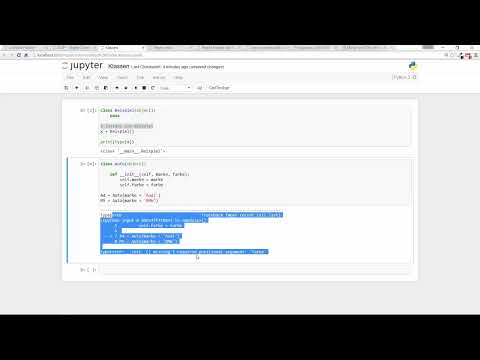
Now every car should also have a color. You add the parameter farbe to the __init__ method and store it as well with self.farbe = farbe. As soon as you do this, you get an error message when creating the existing instances. Python reports, in essence, that a required argument named farbe is missing. This is not a bug, but correct feedback: Your class now requires two values, and you have only passed one.

Step 8: Adjust the color of the instances and output it
Adjust the calls so that both parameters are passed. The A4 gets the color gray, the M5 the color blue. After that, the error can no longer be triggered. With print(a4.farbe) you directly access the property of the instance. The dot connects the object with its attribute.

Step 9: Add a property with an individual value
Cars also differ in their performance. You therefore add the parameter ps and store it on the object as well. The example values are freely chosen: The A4 gets 200 PS, the M5 300 PS. What matters is that you now provide three values when creating each instance.
Step 10: Query the performance of the individual objects
With print(m5.ps) you output the performance of the M5. The output is 300. The A4 still has its own value of 200. This is exactly what is meant by properties that are individual per instance: Each object has its own values, which exist independently of other objects.

Step 11: Define a property that is the same for all instances
Some properties should be identical for every object. A car usually has four tires. You don't need to pass a parameter for this. You simply write the value directly in __init__. Every instance you create in the future automatically gets four tires.
The output is 4 in both cases, since both instances receive the same fixed value.

Step 12: A preview of methods
Properties describe what an object looks like. But classes can also perform actions. A car can drive or turn on the lights. Such functions that belong to a class are called methods. How you define and call methods is the topic of the next video. The basic structure is already the same, though, because methods also receive self as their first parameter.

Summary ??? Understanding Python classes: instances, init and properties
A class is a blueprint for objects. You create it with class, and with pass you leave it empty for now. Each instance is created by calling the class name and stores its own values as soon as the method __init__ assigns them using self. You pass properties with individual values as parameters, while properties with a fixed value you write directly into the initialization. Methods, that is, actions of an object, follow in the next step.
FAQ
What is the difference between a class and an instance?A class is the blueprint, an instance is a concrete object that is based on this blueprint.
What is the self parameter for?Self refers to the object itself. With self.marke = marke, the value is stored on exactly this instance.
Why do you write pass in an empty class?Pass is a placeholder for an empty block. Without it, Python would report an error because the class has no content.
Why does an error appear for existing instances after adding a parameter?When creating an instance, Python requires all parameters that are defined in init. If a value is missing, the call is aborted.


