
If you have built your own classes in the last lessons and created several objects from them, the question quickly arises of how to teach these objects behavior. That is exactly what this tutorial is about. The starting point is the code from the last video, in which you created variables that are newly created for each instance. The objects Golf and Quattro already have a color, a brand, and a horsepower value, but they cannot yet drive or brake.
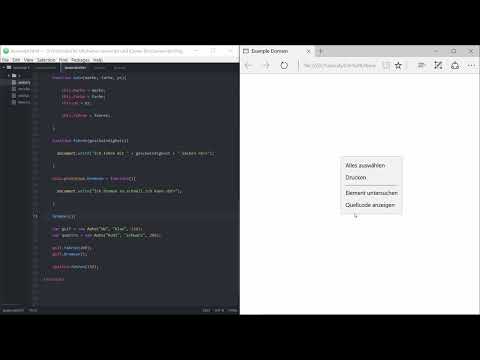
The video is only loaded from YouTube when you play it – data (including your IP address) is then transmitted to YouTube/Google. More in the privacy policy
You will learn two ways to add a function to a class: using the keyword this and using prototype. You will also see how functions accept parameters and calculate with them, and which errors you typically encounter along the way.
Key Takeaways
- A function that is outside a class does not belong to any object and cannot be called via Golf or Quattro.
- With
this.fahren = function(...) {...}in the constructor, each instance gets its own function. - With
Auto.prototype.bremsen = function(...) {...}you create a function that all objects of the class share. - Functions can accept parameters such as speed or braking factor and perform calculations with them.
- In JavaScript, you write decimal numbers with a period, not a comma.
Step-by-Step Guide
Step 1: Why a function from outside doesn't work
First, create a function called fahren outside the class. It receives a parameter for the speed and uses document.write to output that the vehicle is travelling at this speed. The problem becomes apparent immediately: the function is not called anywhere, and even if you call it, it does not belong to any particular car. A Golf cannot use it as its own ability. So you need a connection between the function and the class.

Step 2: Create a function with this in the constructor
Move the function into the class Auto and link it with this. The keyword this refers to the object that is currently being created. If you write this.fahren = function(geschwindigkeit) {...}, every car automatically has this function. You can then call it for the Golf with golf.fahren(200). The Quattro drives with quattro.fahren(150) in exactly the same way, even though it is a separate object. Both cars use the same logic but work with their own values. The output shows you that the Golf drives at 200 and the Quattro at 150.
Step 3: Add functions via prototype
The second way is through prototype. You write the name of the class, then .prototype, then the name of the new function, and assign to it the code that should be executed. An example is Auto.prototype.bremsen = function() {...}. Inside the function there is initially a simple output, such as "I'm braking as fast as I can". If you let the Golf drive first and then brake, you get both outputs one after the other. Make sure to separate the lines clearly so that the output stays easy to read.
Step 4: Understand the error with a direct call
If you try to call bremsen() without an object in front of it, the page crashes or reports an error. In the console you can then see that bremsen has the value undefined. This is no coincidence, but a consequence of the construction: the function exists only within the class Auto and is not a global element of your page. It always needs a concrete object such as golf.bremsen(). This error is a good indication of where the function actually lives.

Step 5: Use parameters for the braking distance
Now it gets more interesting. You can pass several parameters to the function bremsen, for example the speed and a braking factor. Inside the function you calculate the braking distance from them. In the video, a simplified formula is used for this: speed divided by the braking factor. You output the result with a sentence such as "I brake in ... meters". Don't forget to pass both values when calling it, for example golf.bremsen(200, 1.5). Otherwise the function works with missing values and returns a wrong or unusable result.
Step 6: Write decimal numbers correctly
For the braking factor 1.5, an important rule applies in programming: you write 1.5 with a period. JavaScript would not recognize a comma as a decimal number, and the code would return a wrong result or fail. With the correct value, a speed of 200 km/h and a factor of 1.5 give a braking distance of about 133 meters. This is a typical stumbling block for beginners, so it is worth paying conscious attention to it.
Step 7: Test and Compare an Alternative Formula
You can also do the calculation without a braking factor. To do this, you divide the speed by 10 and multiply the result by the speed divided by 10. At 200 km/h, this gives a braking distance of around 400 meters. If, on the other hand, you are only driving at 150 km/h because you went into a curve beforehand, and then brake, the braking distance is 225 meters. Try out both variants to see how strongly individual input values affect the result.
Summary – Extending JavaScript Classes: Creating Functions with this and prototype
You have seen that functions only belong sensibly to an object if they are created within the class. With this, each instance gets its own function, while with prototype all objects share the same function. Parameters make your functions flexible, and the calculation of the braking distance shows how a useful result emerges from simple values. You therefore already have the basics of object-oriented programming under control. In the next step, you will get to know classes that already exist in JavaScript, without you having to create them yourself.
FAQ
Do I have to use this to create functions in a class?No. this is one option within the constructor. You can also create functions with prototype, and they then apply to all objects of the class.
What is the difference between this and prototype?With this, each object gets its own function, which is created when the object is created. With prototype, the function is stored once on the class and shared by all objects.
Why do I get the value undefined when I call bremsen() directly?The function bremsen exists only as part of the class Auto. Without an object in front of it, such as golf.bremsen(), it is not assigned to any object and is therefore not globally available.
Why do I have to write 1.5 with a period and not with a comma?JavaScript uses the period as the decimal separator. With a comma, the code cannot process the number correctly.
Can I make the calculation of the braking distance more precise?Yes. In the video, simple formulas are deliberately used. In practice, you could take additional factors into account, such as tire wear, wet conditions, or the condition of the road surface.


