
Imagine you need a complete function with a name, indentation, and return every time for a tiny calculation. That's exactly what the lambda operator in Python is for. It allows you to write a function in a single line, without naming it with def. At first this often seems confusing, because the notation looks unfamiliar. With a few examples that you rebuild step by step, though, it quickly loses its terror. In this guide, you go from the classic function structure to the lambda notation and apply it to three small tasks.
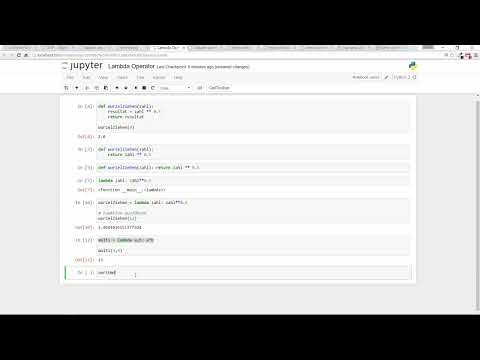
The video is only loaded from YouTube when you play it – data (including your IP address) is then transmitted to YouTube/Google. More in the privacy policy
Key Takeaways
- A lambda expression is a shortened notation for a simple function. It changes nothing about the behavior, only the presentation.
- The syntax is
lambda parameter: expression. The expression is returned directly, a separatereturnis not needed. - A lambda function can be stored in a variable and then called like a normal function.
- Lambda is suitable for short, simple functions. For complex logic, a classic
deffunction is more readable.
Step-by-Step Guide
Step 1: The Classic Function for Taking a Square Root
Start with a function you already know. It should accept a number and return its square root. In Python, you calculate the square root by raising the number to the power of 0.5. The function then looks like this:
If you call the function with 4, you get 2.0. This code is perfectly correct and forms the basis for everything that follows.


Step 2: Omitting the Intermediate Variable
The variable resultat is only used once and can be dropped directly. You simply return the expression in the return. The behavior remains identical, but the code becomes shorter:
It's worth checking with every simplification whether the result still does the same thing. That is the case here, because the function returns exactly the same thing for every input as before.
Step 3: Writing Everything in One Line
The def function can also be fitted into a single line by placing the return value directly after the colon:
This works, but is hard to read. In everyday practice, such notations are therefore rarely used. They are more a matter of style, and the classic, cleanly indented form remains the better choice in most projects.

Step 4: The Lambda Notation
Now the actual lambda operator comes into play. It replaces the entire def line with a short construct. The keyword lambda marks the beginning of the function, followed by the parameters, a colon, and the expression that should be returned:
This line is a full-fledged function, but without a name. If you simply execute it, you only get the description of the object and no calculated value. This is the most important point to remember: A lambda returns the function itself, not the result of a calculation.
Step 5: Storing Lambda in a Variable
So that you can use the function, you store it in a variable. You can choose the name of the variable freely, for example wurzel_ziehen:
The output is 2.23606797749979. The variable now behaves like a normal function. Lambda takes the passed parameter zahl, calculates the expression, and returns the result. So you only need to pass the argument when you want to calculate the square root of 5 or 12.


Step 6: A Small Exercise on Multiplication
Now try to multiply two numbers yourself using a lambda. The solution consists of a single line:
The output is 15. The parameters a and b are the placeholders that are replaced with the passed arguments 3 and 5 on each call. With this exercise you can see that multiple parameters also work without any problems. The function named multi is fully described in one line.

Step 7: Reversing a Text
Lambda is not limited to numbers. It works the same way with strings. The notation [::-1] reverses the order of the characters:
The output is ollah. So you don't necessarily have to calculate with numbers, but can process any type of data that Python supports.

Step 8: Determining the Last Letter
In this step, you get the last letter of a text. For this you use the index -1:
The output is n. When calling the function, make sure you put the text in quotation marks. If they are missing, Python interprets the expression as a variable name, and you get an error message. The fix is then only a minor thing, but it can easily cost some patience while learning.


Step 9: When Lambda Makes Sense
Lambda saves you a lot of typing, especially for simple functions. For complex tasks that require multiple steps, conditions, or loops, a one-line solution quickly becomes hard to read. In that case, the classic def function is the better choice. Incidentally, when programming you spend significantly more time thinking than typing. A somewhat longer but clearly structured function therefore pays off in the long run, because you know exactly what is happening.

Summary ??? Lambda in Python: Writing Functions Concisely and Clearly
The lambda operator is a compact notation for simple functions. You recognize it by the form lambda parameter: expression, and you can store it in a variable to call it like a normal function. It is excellently suited for short calculations such as square roots, multiplications, or reversing a text. For more complex tasks, however, you should rely on the classic def notation, because better readability is more important than a few saved lines. Once you have mastered both variants, you can decide for yourself which form suits your task.
FAQ
What is a lambda operator in Python?A lambda operator is a short notation for a function that fits on a single line and gets by without the def command and a name.
When should I use lambda?Lambda is suitable for very simple functions that only calculate and return a short expression.
Is lambda better than a normal function?No, not necessarily. For complex functions, the classic notation with def is clearer and easier to maintain.
How do I store a lambda function?You store it in a variable, for example wurzel_ziehen = lambda zahl: zahl ** 0,5, and then call it with wurzel_ziehen(5).
What does [::-1] do to a text?This notation reverses the order of all characters in a text. So hallo becomes ollah.


