

Want to create a convincing design for a subway station? In this guide, you will learn how to close the inside of your foundation. This will prevent unsightly holes from appearing in the model, which could spoil the viewer's enjoyment of the overall picture. Let's get straight into the process to achieve a clean and aesthetic shape.
The video is only loaded from YouTube when you play it – data (including your IP address) is then transmitted to YouTube/Google. More in the privacy policy
Key findings
- Using the bridge tool is the easiest way to close open edges.
- The polygon pin offers additional flexibility when closing holes.
- Be careful to avoid open edges to ensure the quality of the model, especially for later steps such as the application of SDS (Subdivision Surface).
Step 1: Prepare the foundation
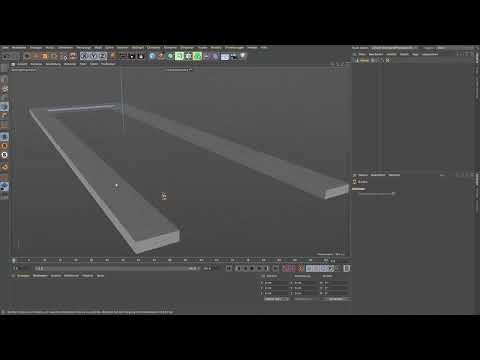
You start by creating the foundation for the posts of your subway station. Here it is important to have the right overview of the structure. The foundation should be aligned with your design. Make sure to leave a hole in the center to allow access to the subway station.

Step 2: Select polygons
In the next step, you will switch to edit mode to adjust the polygons you need. Press the 9 key to activate the live selection. This will allow you to quickly find the polygons you want to remove to create the hole mentioned at the beginning. As you select the unnecessary polygons, delete them to get a clearer view of the structure.
Step 3: Identify open edges
After you have made the initial adjustments, you will notice that some edges remain open. These open edges can be a problem when you continue working on your model. You have the option of working with different techniques, but the simplest tools are often the most effective.

Step 4: Using the bridge tool
Now the bridge tool comes into play. Switch to edge mode and go to Mesh to select the bridge tool. Once you have activated it, move the mouse over the edges that the software offers you to choose from. Click on an edge and drag it to connect the neighboring edge. This way you can quickly close open areas.

Step 5: Alternative with polygon pen
If you want to try a more modern method, you can use the polygon pen. You can also find this tool under Mesh. Make sure that you aim for a closed area when drawing. Press the Control key (Windows) or Command key (Mac) to activate the edges you want to close. This will improve the overall look of your model.

Step 6: Make final adjustments
Now you have successfully closed all open edges, leaving a clean "U". This shape is particularly important if you want to work with the subdivision surface. Check your model for corrections and consider any final changes to optimize the structure.

Summary - Underground: Designing a subway station effectively with Cinema 4D
In this tutorial, you learned how to close open edges and holes in your foundation to create an appealing design for a subway station. We used the bridge tool and polygon pen effectively to achieve a clean finish.
Frequently asked questions
What is the bridge tool in Cinema 4D? The bridge tool is used to connect between two edges and close holes.
Can I use the polygon pen tool for other shapes?Yes, the polygon pen tool offers flexibility and can be used for various geometric adjustments.
Why are closed shapes important in Cinema 4D? Closed shapes prevent visual errors and are crucial for using Subdivision Surface to keep the geometry clean.

