
Java development for beginners

- 67 lessons in 13 hours of video training to get started and advance in Java
- Learn Java, understand object orientation and apply it directly in exercises, incl. working materials
- By Jan Brinkmann, a passionate web developer with over 15 years of experience
Get in and get started - Java development practically explained, for all future Java masters!
66 Videos, 777 minutes
Motivation and introduction
Java for beginners - 1.1 Welcome to the course
This video provides a brief overview of the course and the structure of the modules.
Java for beginners - 1.2 Why Java at all?
The video shows why Java is absolutely suitable as a language for learning programming and what advantages it offers.
Java for beginners - 1.3 What is the best way to learn programming?
This video is generally dedicated to the topic of "learning to program". How can you learn a language? What methods and approaches are there? And since the course can only be the beginning: What happens afterwards?
Java for beginners - 1.4 Where can I find help?
We show you where you can find help, both during and after the course, in addition to the usual channels.
Java for beginners - 1.5 Working with the course
How you work with the course is up to you. However, the tips presented here are based on experience and show you how to get the most out of the content.
The introduction
Java for beginners - 2.1 Understanding Java bytecode
Even before we start programming: how does Java work? What role does the so-called bytecode play? What is bytecode anyway? How does C++, for example, differ in this respect?
Java for beginners - 2.2 Installing the JDK
Installing the Java Development Kit (JDK) is a mandatory exercise for developing with Java. This is the only way to follow the rest of the course. We will show you how to do this here.
Java for beginners - Install 2.3 IDE
A development environment (IDE) goes far beyond the function of a "normal" text editor. It includes the editor, color highlighting of syntax, error messages, debugger, logic for translating programs, etc. We work with IntelliJ IDEA in the course and show the first steps with the program.
A first date
Java for beginners - 3.1 Your first program
You write your first program, create your first variable and output its content. Also a few words about the organization of the source code.
Java for beginners - 3.2 The Java compiler (javac) and the JRE (java)
How is Java translated/compiled? Work with the javac. Also: Bytecode/.class files and executing Java programs.
Java for beginners - 3.3 Debugging
How can you find errors in software? A few words about syntax errors and how to find logical errors with a debugger.
Variables and data types
Java for beginners - 4.1 Using variables (Part 1)
Now it's all about the basics of variables. Specifically, the video covers data types, memory requirements in RAM, declaring variables and assigning values.
Java for beginners - 4.2 Using variables (Part 2)
In the second part on variables, you will expand your knowledge of variables. It deals with best practices and rules that you must adhere to.
Java for beginners - 4.3 Primitive data types
What are primitive data types? Which ones are there? About the memory consumption of data types. Here is a link to the ASCII table mentioned.
Java for beginners - 4.4 Complex data types
What are complex data types? A few words about the wrapper classes for primitive data types, including an example of the Integer type/class.
Java for beginners - 4.5 Typecasting
Converting data type A to data type B using casting. You will learn about the syntax and what problems can occur due to possible loss of information.
Java for beginners - 4.6 One-dimensional arrays
You will learn about arrays, how to use them and how to access the individual elements.
Java for beginners - 4.7 Multidimensional arrays
Arrays can also be "multi-dimensional". In other words: arrays can also be stored in an array. We show how this works.
Operators
Java for beginners - 5.1 Comments
Source code becomes easier to understand if you enrich it with comments. In this video you will learn how to do this.
Java for beginners - 5.2 Arithmetic (Part 1)
Arithmetic operators are the basis of every arithmetic operation. In the first part, you will learn the basics.
Java for beginners - 5.3 Arithmetic (Part 2)
The second part on arithmetic operators deals once again with advanced concepts such as short syntax and the increment or decrement operator.
Java for beginners - 5.4 Comparison operators
You will learn how to use comparison operators smaller, larger, larger equal/smaller equal and similar comparisons in your Java software.
Java for beginners - 5.5 Logical operators
You can use logical operators to link expressions and change their meaning. You will learn how to do this in this video.
Java for beginners - 5.6 Priorities
Expressions or individual parts of expressions are evaluated with different priorities in Java. You will learn the most important rules in this video.
Control the program flow
Java for beginners - 6.1 Code blocks and scopes (Part 1)
In order to work successfully with Java, the scopes must be known and understood. Especially developers who come from other languages often fall "on their nose" here.
Java for beginners - 6.2 Code blocks and scopes (Part 2)
The knowledge from the first video on the topic of scopes was the basis on which we will now build in the second part.
Java for beginners - 6.3 Working with conditions (Part 1)
Without conditions, software would be unthinkable. Accordingly, we take an in-depth look at the topic.
Java for beginners - 6.4 Working with conditions (part 2)
We continue our journey through the world of conditions in this second part.
Java for beginners - 6.5 The switch()-statement
Case distinctions are possible with the switch() statement. You will learn about the syntax, benefits and use.
Java for beginners - 6.6 Catching exceptions with try/catch
Exceptions are exceptions in the program flow. For example, they signal errors, invalid input formats and the like. Here you will learn how to react to exceptions and catch them with try/catch blocks.
Java for beginners - 6.7 Loops: getting to know them and implementing them with while()
In this video, you will learn how program code can be executed repeatedly using loops. Specifically, it is about the so-called while() loops.
Java for beginners - 6.8 for()-loops
In addition to while() loops, there is another loop construct: for() loops. You will learn about them in this video. You will also learn about nested loops (loops within loops).
Java for beginners - 6.9 do {...} while(...)
You will get to know the so-called do/while loop and what is special about it.
Java for beginners - 6.7 Loops: getting to know them and implementing them with while()
15 min OpenObject-oriented programming in Java
Java for beginners - 7.1 Object orientation: concept of the real world
Object orientation is on the program! You will get to know the general concept. We show that it is based on the "physical world".
Java for beginners - 7.2 Classes, objects and the variable "this" (Part 1)
Classes and objects are the Java developer's bread and butter. Let's take a look at the basics.
Java for beginners - 7.3 Classes, objects and the variable "this" (Part 2)
Building on the knowledge from the first part, we will expand your wealth of experience around the topic of objects and the special reference "this".
Java for beginners - 7.4 Methods
Classes and objects without methods would only be containers, data structures in which values can be stored. In this video, you will learn how to fill them with life.
Java for beginners - 7.5 Constructors
Constructors are special methods that are executed when a class is created. In this video, you will learn how to use them.
Java for beginners - 7.6 Attributes
Attributes or properties are an important part of classes. You will learn how to use them in this video.
Java for beginners - 7.7 Java packages (Part 1)
Packages offer the possibility of structuring the source code. The first part deals with the basics.
Java for beginners - 7.8 Java packages (part 2)
The Java packages are also a namespace in their own right. We will go into more detail about their use in everyday practice.
Java for beginners - 7.9 Visibility: public, private & Co. (Part 1)
Now we will break down what is behind the keywords "public", "private" and co. The concept of data encapsulation is on the agenda.
Java for beginners - 7.10 Visibility: public, private & Co. (Part 2)
The second video on modifier keywords such as "public" and "private" is also important. It is about best practices and how they are used in practice.
Java for beginners - 7.12 Java interfaces
An "interface" is a type of contract that specifies which methods are to be implemented. Using an example, you will learn how this works in practice and what it can be used for.
Java for beginners - 7.13 Inheritance (Part 1)
Inheritance is an important concept that opens up many possibilities in software architecture. Here we start with the most important basics.
Java for beginners - 7.14 Inheritance (Part 2)
In the second part on inheritance, we will deepen your knowledge and delve even deeper into the topic.
Java for beginners - 7.15 Abstract classes and methods
Abstract classes and methods are an important stylistic device for the architecture of object-oriented software. You will learn how the keyword "abstract" is used in Java.
Working with Java
Java for beginners - 8.1 Throwing exceptions
You have already learned how to react to exceptions. Now you will learn how to throw exceptions yourself, how to create your own exception classes and why this can be useful.
Java for beginners - 8.2 Recursion
Methods can call themselves. This is known as recursion. You will learn how to use them here.
Java for beginners - 8.3 JavaDoc (Part 1)
JavaDoc can be used to document Java source code very extensively without much additional effort. We show the basic procedure in this video.
Java for beginners - 8.4 JavaDoc (Part 2)
In the second video on JavaDoc, we expand our knowledge of the available JavaDoc doclets.
Java for beginners - 8.5 Input/Output with Java
Data input and output is an important part of software. In this video you will learn how this works.
Java for beginners - 8.6 Strings (Part 1)
You will get to know the complex data type "string". Up to now, you have always dealt with character strings indirectly. Now you will delve deeper into the subject.
Java for beginners - 8.7 Strings (Part 2)
We intensify our work with strings a little more and look at further methods of the String class.
Java for beginners - 8.8 Random numbers with Math.random()
The need for random numbers is more common than you might think. In this video, we show you how to generate them in Java.
GUIs with Swing
Java for beginners - 9.1 A first application
Now it's getting graphical! The first joint GUI application with Swing is implemented.
Java for beginners - 9.2 Responding to input (Part 1)
In order for the graphical elements to be usable, they must listen to the user's actions. You will learn the basics in this video.
Java for beginners - 9.3 Responding to input (part 2)
The application from the first part on the topic of inputs is now being expanded. You will also learn how to access elements after a click.
Java for beginners - 9.4 Arrange components with layouts (Part 1)
The arrangement of the elements was previously only taken over by Java. Now you will learn how the layout can be influenced.
Java for beginners - 9.5 Arrange components with layouts (part 2)
Containers can be nested. There are also other layouts. In this video you will learn about further design options.
Java for beginners - 9.6 Lists with JList
A slightly more complex application shows how several components can be used together. Here we combine JTextField, JList and JButton.
Java for beginners - 9.7 Dialogs with JDialog
Using the example of "dialogs", you will learn what modal windows are and how, for example, a rudimentary help dialog can be set up.
final project
Java for beginners - 10.1 The task
The final project is coming up. In this video we present the task.
Java for beginners - 10.2 A possible sample solution (solution presentation)
I present a possible solution for the final project, including considerations for implementation.
Java for beginners - 10.3 A possible sample solution (in the debugger)
We look at the sample solution together in the debugger.
You might also like
For error-free, fast websites with optimized layouts
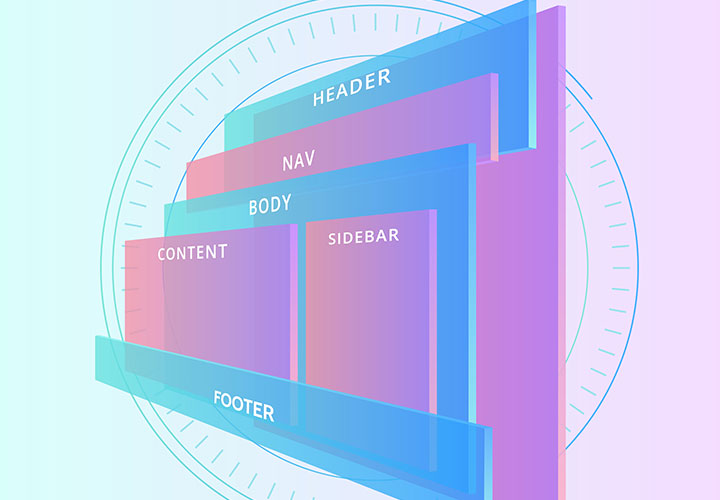
For modern websites & apps
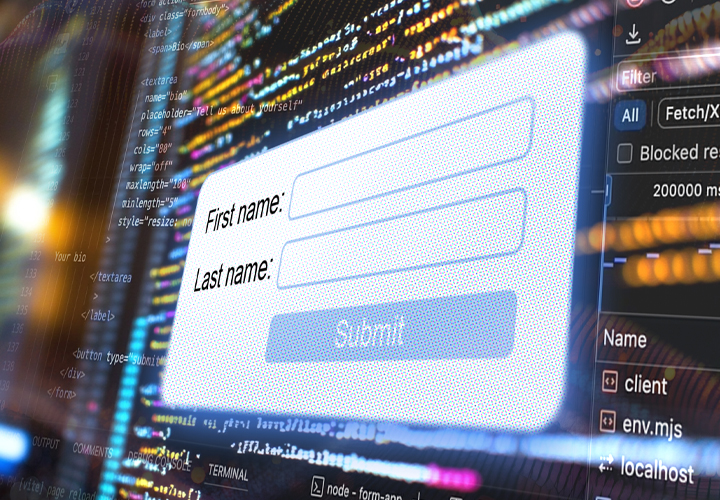
Step by step to your own functional forms

How your websites & apps speak like ChatGPT
Comment now „Java development for beginners“