
Imagine your book database has grown to several hundred entries, and one record is duplicated or simply outdated. That's exactly when you need a way to remove entries in a targeted manner. In this tutorial, you'll learn how to use the SQL command DELETE in Python to delete a record via its primary key, how to verify the result, and how to save the change permanently in the database.
The video is only loaded from YouTube when you play it – data (including your IP address) is then transmitted to YouTube/Google. More in the privacy policy
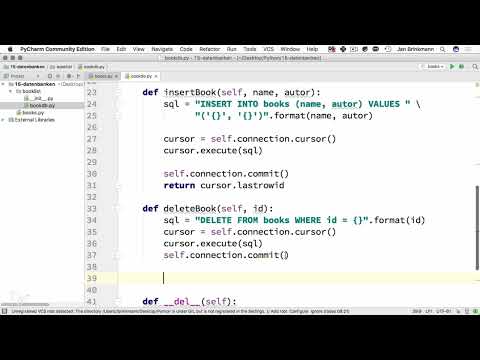
The basis is the class from the previous lessons, which already has a connection to the database and contains methods for inserting books. If you extend this class with a method called deletebook, you get a clean interface for deleting.
Key Takeaways
- A record is deleted via its unique primary key, in this case the ID.
- The SQL statement is
DELETE FROM books WHERE id = %s. - For numeric values like the ID, no quotation marks are necessary.
- Without
commit(), the deletion remains only temporary. - The return value
rowcountshows you how many rows were actually affected.
Step-by-Step Guide
Step 1: Create the deletebook method
Create a new method in your class and pass it the ID of the book that is to be removed. The ID is ideal because, as a primary key, it uniquely identifies each record. This way you make sure that exactly one book is affected and that multiple entries don't accidentally disappear.

Step 2: Prepare the SQL statement
The command DELETE FROM books deletes entries from the table books. With WHERE you specify which rows are meant. As the condition, you use id = followed by a placeholder. It's best to store the query in a variable so that the code stays clear:

Step 3: Mind the data type
For numeric values like the ID, you don't need quotation marks around the placeholder. Quotation marks are only required for text values, since SQL expects strings there. The placeholder %s is replaced by the passed value when executing. This approach also protects you from SQL injection, because the values are passed separately from the query.
Step 4: Execute the statement with the cursor
Without a cursor, you can't send a statement to the database. Get it with self.connection.cursor() and execute the statement with cursor.execute(sql, (id,)). Pay attention to the comma after id: Python needs it so that the parentheses form a tuple with one element, and this is exactly the tuple the database interface expects.

Step 5: Confirm the change with commit
A DELETE only becomes permanently effective when you call commit(). This applies just as it does when inserting new books. Without this step, the deletion only appears in your current connection, while the entry remains in the database itself. Therefore, call self.connection.commit() directly after execution.
Step 6: Check the return value with rowcount
So that you know whether the deletion actually had any effect, you return cursor.rowcount. This value corresponds to the so-called affected rows that you know from phpMyAdmin. With a unique ID, you should get a 1. If it shows a 0, the record did not exist or has already been removed. By the way, you can use this mechanism in the same way later with UPDATE statements to distinguish a successful update from an ineffective one.

Step 7: Test deleting in the main program
Now call the method in the main program. First have the complete list of books printed so that you can see the state before deleting. Then pass the ID of the most recently inserted book to deletebook. For the test, a record that you no longer need anyway is suitable, so that the rest of your data remains untouched.

Step 8: Output affected rows
Store the return value in a variable, for example affected, and output it with print. Start the program and compare the output with the book list. If you run the script several times, the most recently created entry is removed on each run, and you see the change immediately in the output.

Step 9: Outlook on reading individual records
In the next step, you can specifically read a single record, such as the book with ID 3, in order to process its data separately. The approach is similar to the previous reading of all entries, but you add a WHERE condition again. We will cover this topic after this lesson.

Summary – DELETE in Python: Removing entries from the database
With your own method deletebook, you reliably remove records by their ID. Three building blocks are crucial: the precise condition in the SQL statement, the commit() call for permanent storage, and the return value rowcount, with which you check the effect. If you internalize these patterns, changes via UPDATE can also be implemented cleanly.
FAQ
What happens if I pass an ID that doesn't exist?The query runs without errors, but rowcount returns 0, since no row was deleted.
Why don't I need quotation marks for the ID?The ID is a numeric data type, and quotation marks would treat it as text, which can cause problems when comparing with a numeric column.
Do I always have to call commit()?Yes, for changes such as DELETE, INSERT or UPDATE, you must execute commit() so that the change is permanently saved in the database.
Can I also delete several records at once with DELETE?Yes, you can use a condition other than the ID, such as a title or an author. However, several rows may then be affected, which is why the return value rowcount becomes particularly important.
What does affected rows mean?Affected rows indicates how many rows were changed or deleted by the last statement.
Why should I use placeholders like %s instead of writing values directly into the text?Placeholders separate the data from the SQL query and thus protect against SQL injection, a common security problem.


